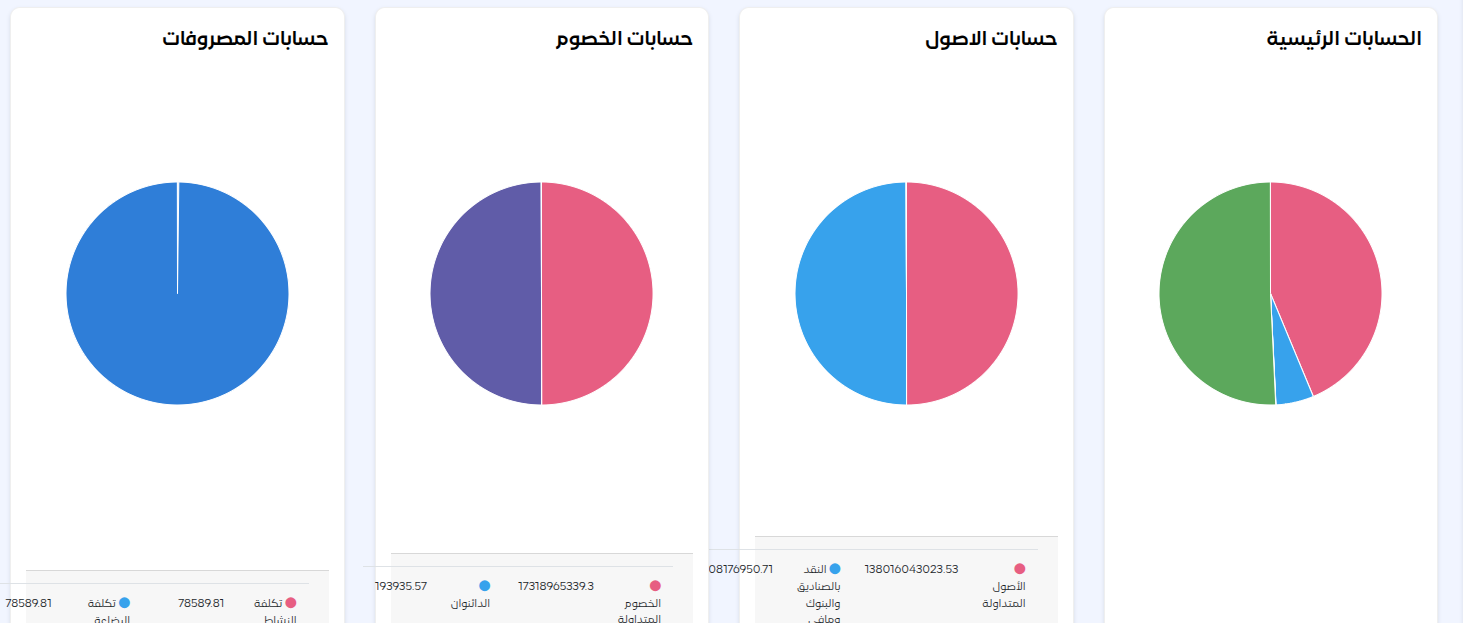
Kashierapp accounting software is an all-in-one solution for managing the financial and accounting operations of businesses of all sizes. It automates your accounting processes while giving you plenty of flexibility to manage journal entries manually when needed.
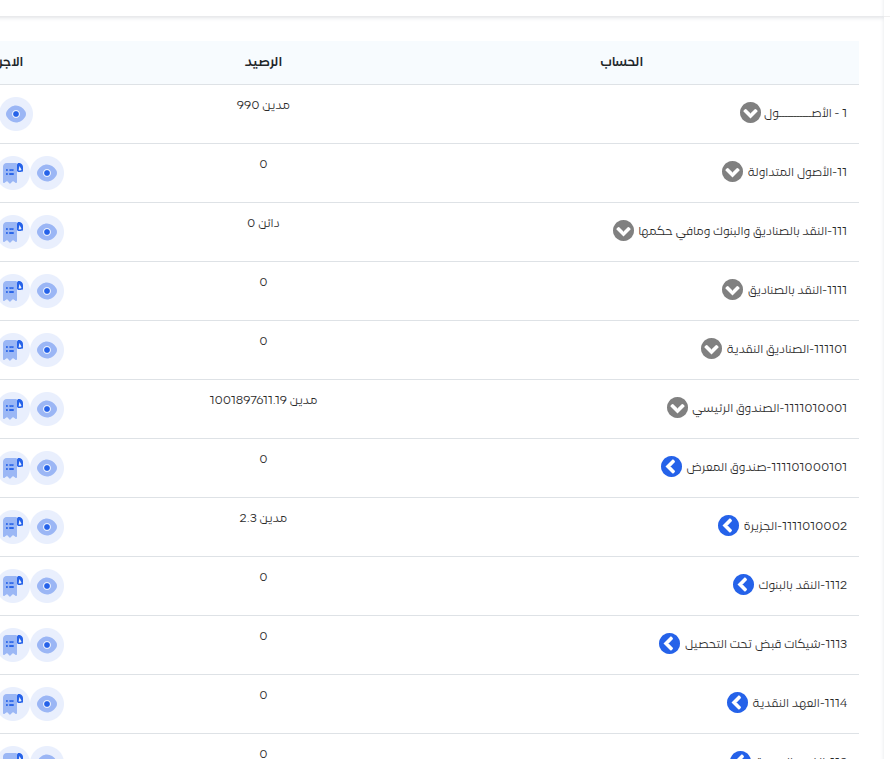
- Complete chart of accounts
- Includes all the essential accounts for trading and service companies, and can be customized.
- Automated journal entries
- Transactions such as tax invoices, purchases, sales and payments are recorded automatically.
- Advanced financial reports
- Export reports as Excel files, including financial statements and in-depth analysis.
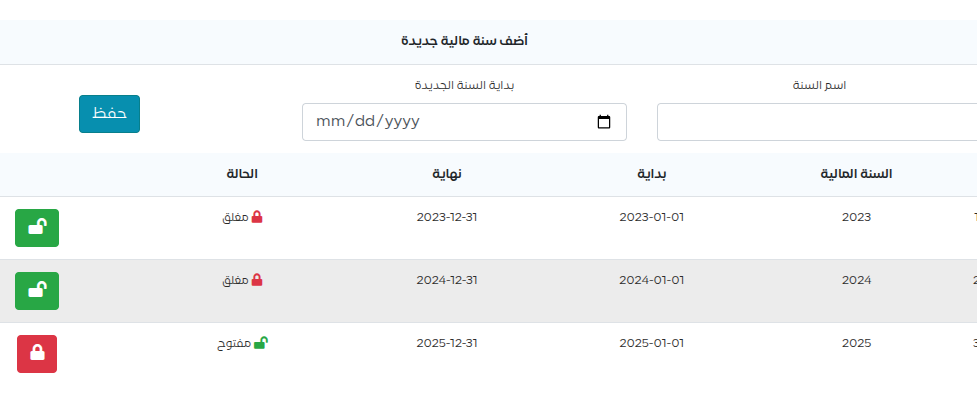 Fiscal year management
From the side menu, open the Accounting tab > Accounting Settings > Fiscal Years
- Create new fiscal years automatically
- Switch between fiscal years easily
- Archive financial data from previous years
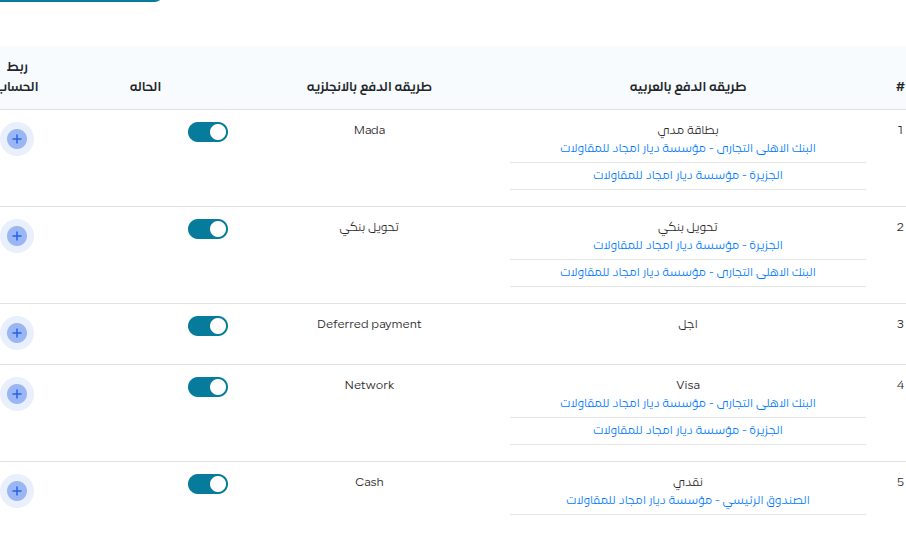 Customizing payment methods
From the side menu, open the System Settings tab > Payment Methods
- Link specific bank accounts to payment methods
- Assign accounts to each of your company’s branches
- Full integration with automatic journal entries
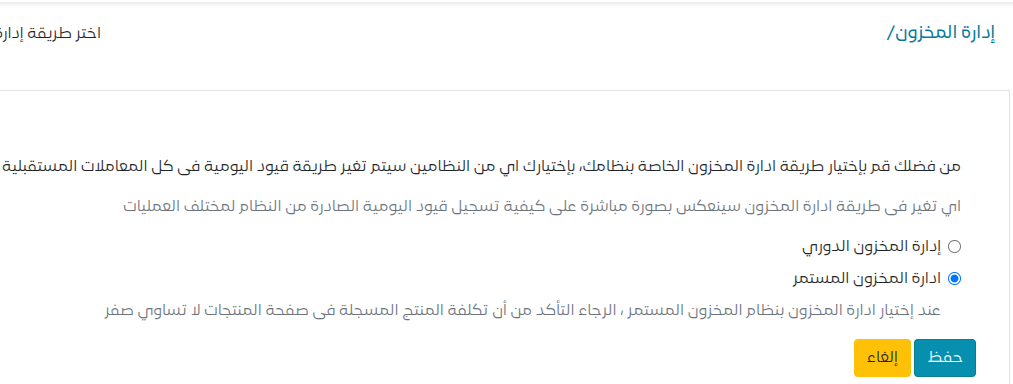 Advanced inventory management system (accounting)
From the side menu, open the Accounting tab > Accounting Settings > Inventory ManagementKashierapp offers two complete options for inventory management:
- Periodic system
- Ideal for businesses that rely on periodic physical stock counts to value inventory and cost of goods sold
- Perpetual system
- The default option, suitable for most businesses
Ideal for businesses that need real-time tracking of inventory and cost of sales
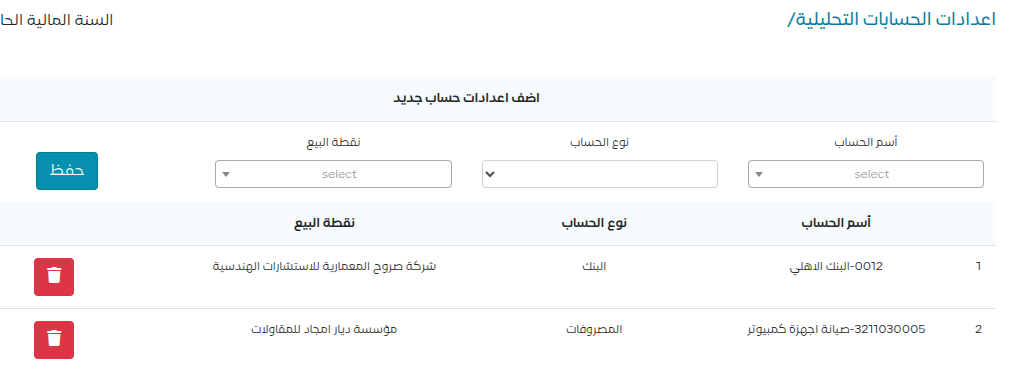 Analytical accounts
From the side menu, open the Accounting tab > Accounting Settings > Analytical Accounts
- Assign expense and revenue accounts to each branch
- Analyze costs with high accuracy
- Detailed cost center reports
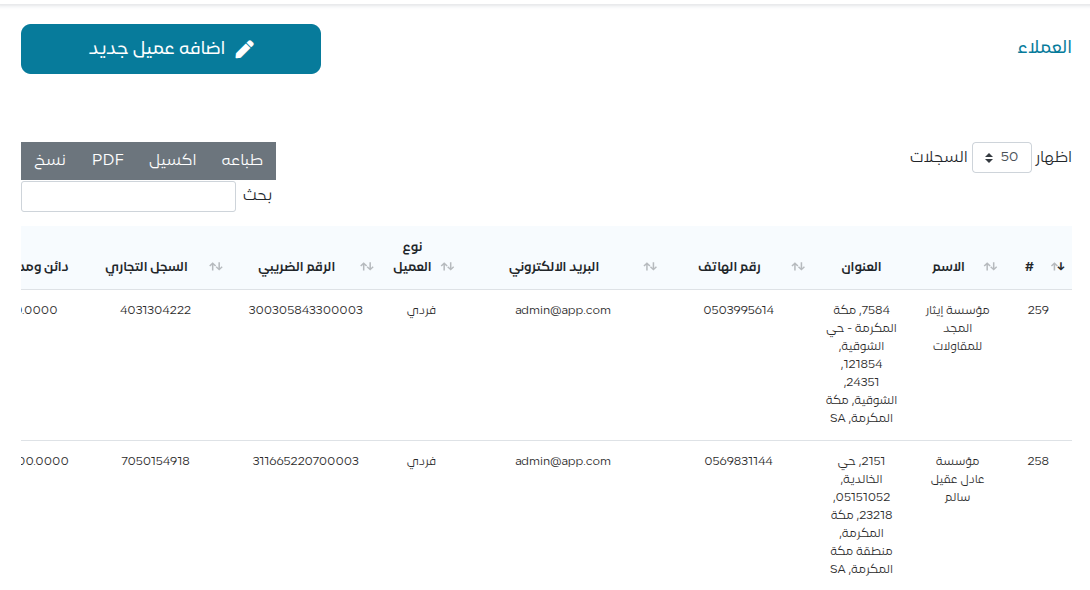 Customer and supplier management
From the side menu, open the Accounting tab > Customers > Customers
- Accounts created automatically for new customers
- Direct link between customer data and accounting accounts
- Full compliance with ZATCA requirements
Note: The software does not link the account to the customer’s data if you add the customer/supplier account directly from the chart of accounts.
Note: If you are connected to ZATCA, you must add the detailed address and national address of any customer you will issue tax invoices to.
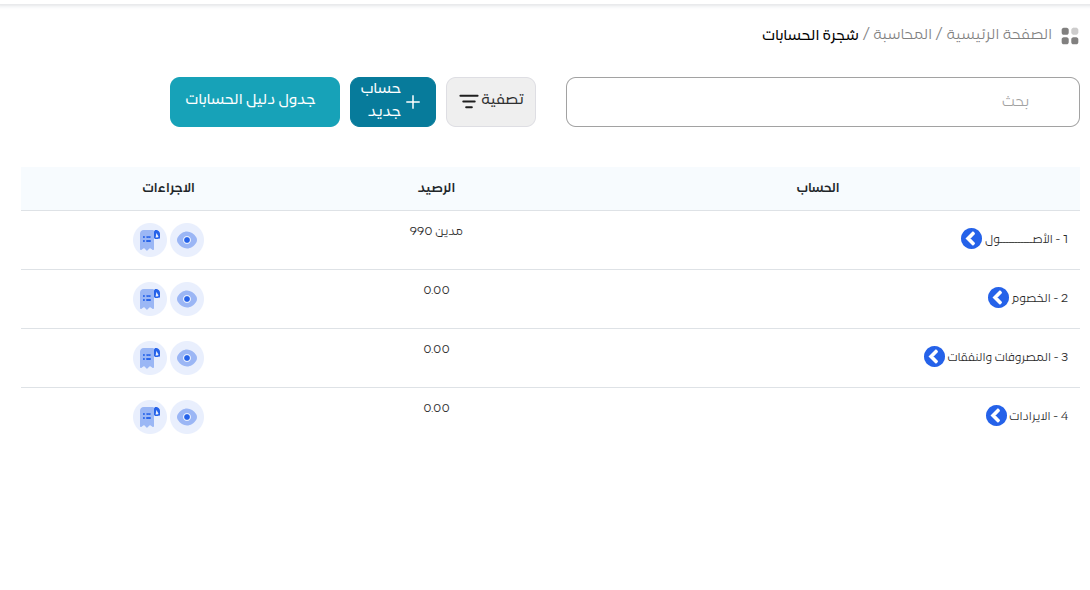 Chart of accounts structure in Kashierapp
From the side menu, open the Accounting tab > Accounting > Chart of AccountsThe software uses a complete accounting system that includes:
- Assets
- Current and non-current
- Liabilities
- Equity and obligations
- Expenses
- All cost items
- Revenue
- Various income sources
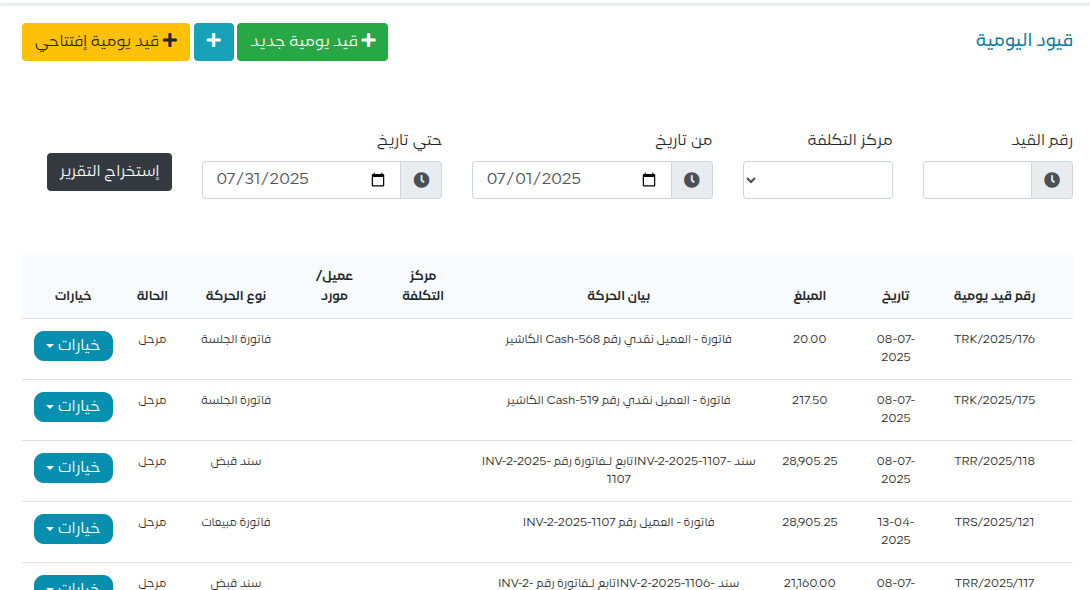
Journal entry features
From the side menu, open the Accounting tab > Journal Entries
- Posting status (posted/unposted)
Entries are posted by default and appear in the financial statements. To edit an entry, you must first unpost it, then edit or delete it.
- Entry numbering is preserved even after deletion
When an entry is deleted, it is not removed completely. Instead, it is shown in red and never disappears, so the entry numbering stays intact.
- A complete log of edits and actions
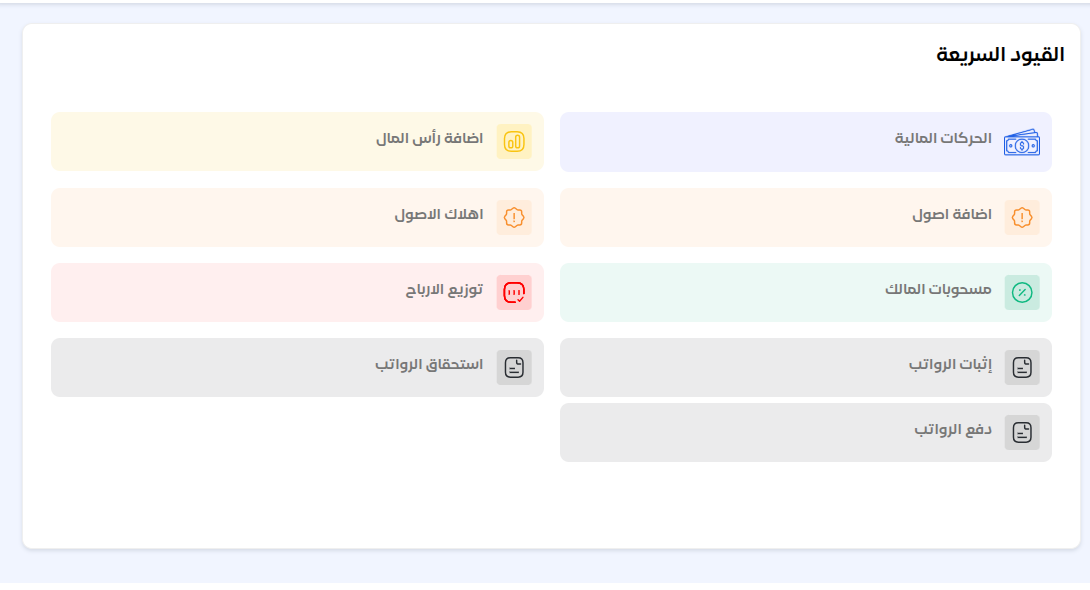
Quick entries
From the side menu, open the Accounting tab > Quick Entries
- A simplified interface for non-specialist users
- Recurring entries made simple
- Assign accounts to each transaction
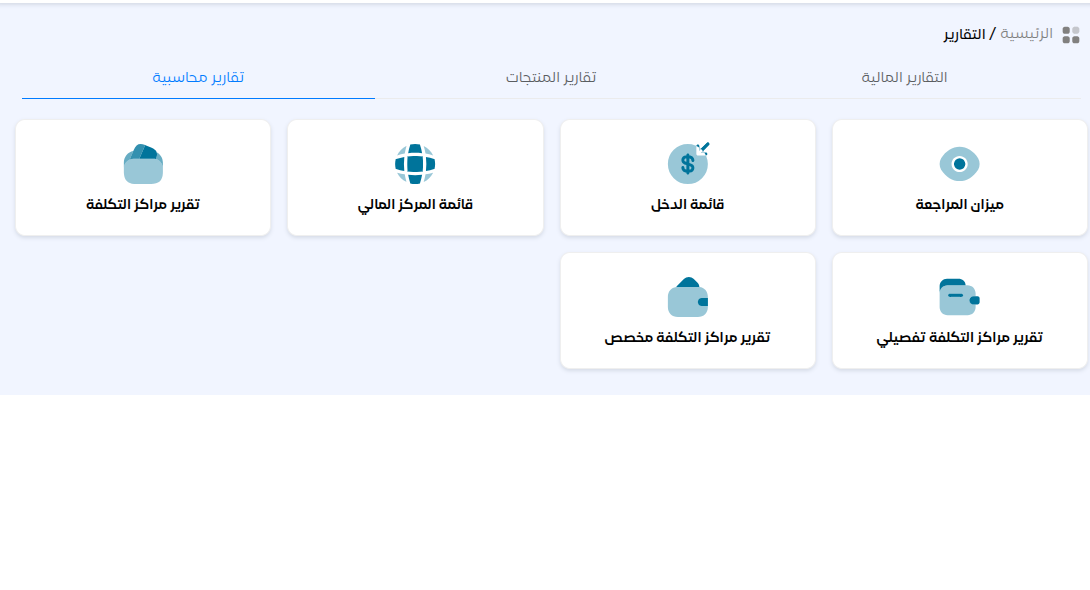
Comprehensive financial reports
From the side menu, open the Reports tab > Accounting ReportsKashierapp provides a complete set of reports, including:
- Statement of financial position (balance sheet)
- A complete picture of your financial position
- Trial balance
- Accurate review of accounts, with a multi-level structure
- Income statement
- Analysis of revenue and expenses, showing your profitability
- Cost center reports
- Detailed, specialized analysis
Kashierapp is the ideal solution for businesses looking for:
- A complete, easy-to-use accounting system
- Automation without sacrificing flexibility
- Accurate, timely financial reports
- Compliance with tax and zakat requirements
- Full support for different types of accounting and inventory systems
To get the most out of Kashierapp accounting software, we recommend requesting a trial or contacting our technical support team for expert advice tailored to your business needs.
