
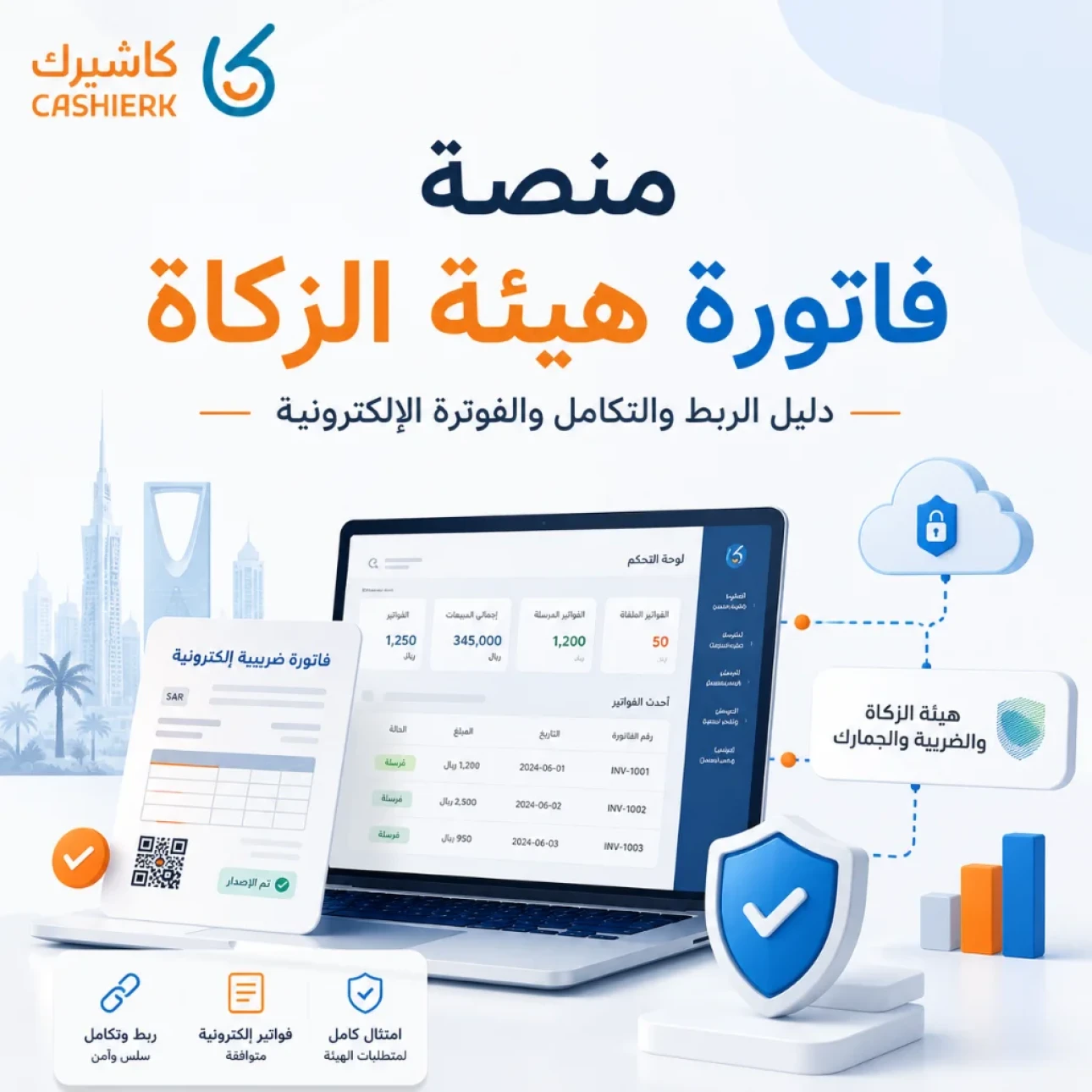
Fatoora Portal Guide 2026: Onboarding, OTP and ZATCA Compliance
As e-invoicing continues to roll out in Saudi Arabia and the Integration phase with the Zakat, Tax and Customs Authority (ZATCA) expands, the Fatoora platform has become one of the most important tools for business owners, finance managers and system administrators to understand.
The Fatoora platform isn't just another government link, and it isn't software for issuing invoices by hand. It is the gateway through which e-invoicing systems and points of sale are connected to ZATCA's systems, devices are onboarded, integration certificates are managed and the status of submitted invoices is tracked.
In this guide, updated for 2026, we explain what ZATCA's Fatoora platform is, how to log in, what device onboarding means, what an OTP is, the difference between reporting and clearance, and how Kashierapp makes it easier to integrate with ZATCA and manage e-invoices without technical complexity.
Table of contents
What is ZATCA's Fatoora platform?
Is the Fatoora platform invoicing software?
Why has interest in the Fatoora platform grown in 2026?
Who needs to use the Fatoora platform?
Requirements for accessing the Fatoora platform
Steps to log in to the Fatoora platform
What does device onboarding mean on the Fatoora platform?
What is an OTP on the Fatoora platform?
What is a CSID, and why does your business need one?
The difference between the simulation and production environments
The difference between reporting and clearance on the Fatoora platform
How is Kashierapp connected to the Fatoora platform?
Common mistakes when using the Fatoora platform
How does Kashierapp help with integration and compliance?
Frequently asked questions about the Fatoora platform
What is ZATCA's Fatoora platform?
ZATCA's Fatoora platform, or Fatoora Portal, is an online portal run by the Zakat, Tax and Customs Authority. It is used within Saudi Arabia's e-invoicing framework to connect taxpayers' e-invoicing solutions to ZATCA's systems.
Put more simply, the Fatoora platform is the link between the invoicing or cashier system in your business and ZATCA's systems. It is where devices or e-invoicing solution units are onboarded, integration codes are issued, the status of submitted invoices is tracked and certain technical integration tasks are managed.
One important point to note: the Fatoora platform is not a replacement for cashier or invoicing software. You don't log in to the platform every day to write your invoices by hand. Instead, you use a compliant system such as Kashierapp to issue invoices and submit or report them, depending on the invoice type and the requirements of each phase.
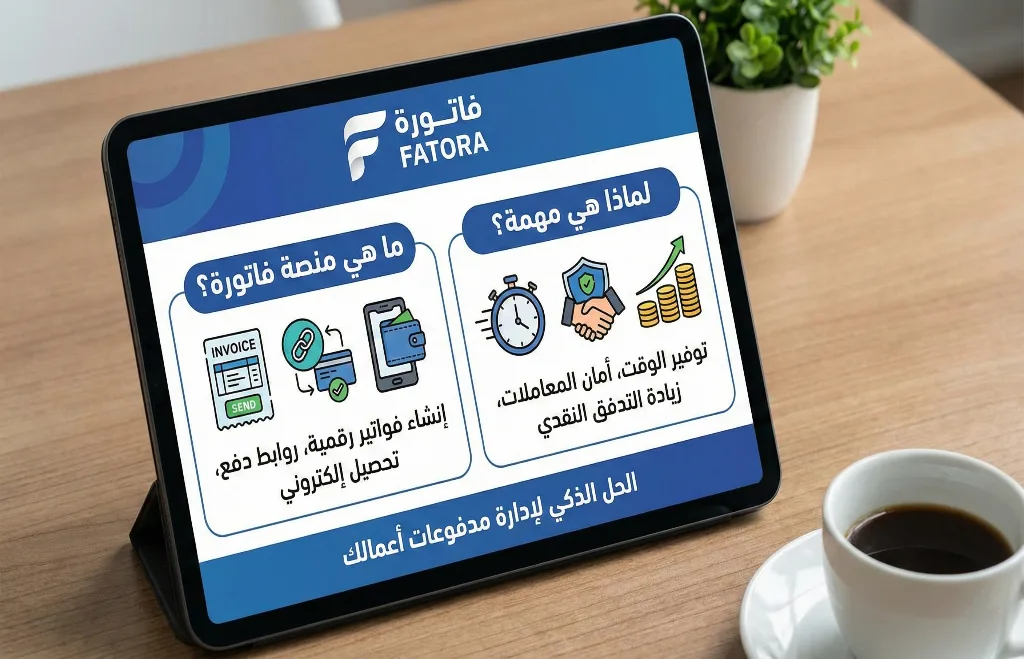
Is the Fatoora platform invoicing software?
No. The Fatoora platform is not accounting software or a POS system for issuing day-to-day invoices. Its main role is to enable integration between taxpayers' e-invoicing systems and the systems of the Zakat, Tax and Customs Authority (ZATCA).
The software you use in your business, such as a cashier system or invoicing software, is responsible for issuing invoices and managing sales, customer and product data. The Fatoora platform handles integration, validation, reporting, clearance and the management of e-invoicing solution units.
So if you own a restaurant, a store or a company, the practical solution isn't to log in to the Fatoora platform manually to manage invoices. It's to use a system that can integrate with ZATCA and manage invoices as part of your daily operations.
Why has interest in the Fatoora platform grown in 2026?
Interest in the Fatoora platform has grown because the Integration phase is no longer limited to large companies; it has gradually expanded to cover a wider range of businesses. With every new wave ZATCA announces, the targeted businesses need to prepare their invoicing systems and connect them to the Fatoora platform before the deadline.
In 2026, the key question for business owners is no longer “Do I need e-invoicing?” but “Is my system ready to connect to the Fatoora platform if I'm notified as part of an integration wave?”
This is especially important for small and medium-sized enterprises (SMEs), because waiting until the deadline is close can create technical and operational pressure, particularly if your current system doesn't support integration or needs to be replaced entirely.
Who needs to use the Fatoora platform?
You need to use the Fatoora platform if your business is registered for VAT and subject to e-invoicing requirements, especially once you enter the Integration phase.
Situations in which you'll need the Fatoora platform include:
Onboarding a new e-invoicing system.
Connecting a cashier device or an e-invoicing solution unit.
Generating an OTP to onboard a device.
Renewing an integration certificate or CSID.
Monitoring the status of onboarded solutions and devices.
Reviewing statistics on submitted invoices.
Working in the simulation environment before the production environment.
Managing the connection between your system and the Fatoora platform.
If you use Kashierapp's invoicing software or a POS system linked to e-invoicing, the goal is to reduce how much the business owner has to deal with technical details day to day, so that integration and submission run more smoothly from within the system.
Requirements for accessing the Fatoora platform
Before you log in to the Fatoora platform, make sure a few basic requirements are in place:
The business is registered for VAT, if this is required in its case.
You have the business's VAT registration number.
The owner or an officially authorized representative has access rights.
You have login credentials for the Zakat, Tax and Customs Authority's services.
You have an invoicing or cashier system that meets e-invoicing requirements.
You know how many devices or e-invoicing solution units need to be connected.
You have your branch or point-of-sale details ready if your business has multiple branches.
These requirements help you complete onboarding faster and reduce the chance of errors when generating an OTP or connecting a device.
Steps to log in to the Fatoora platform
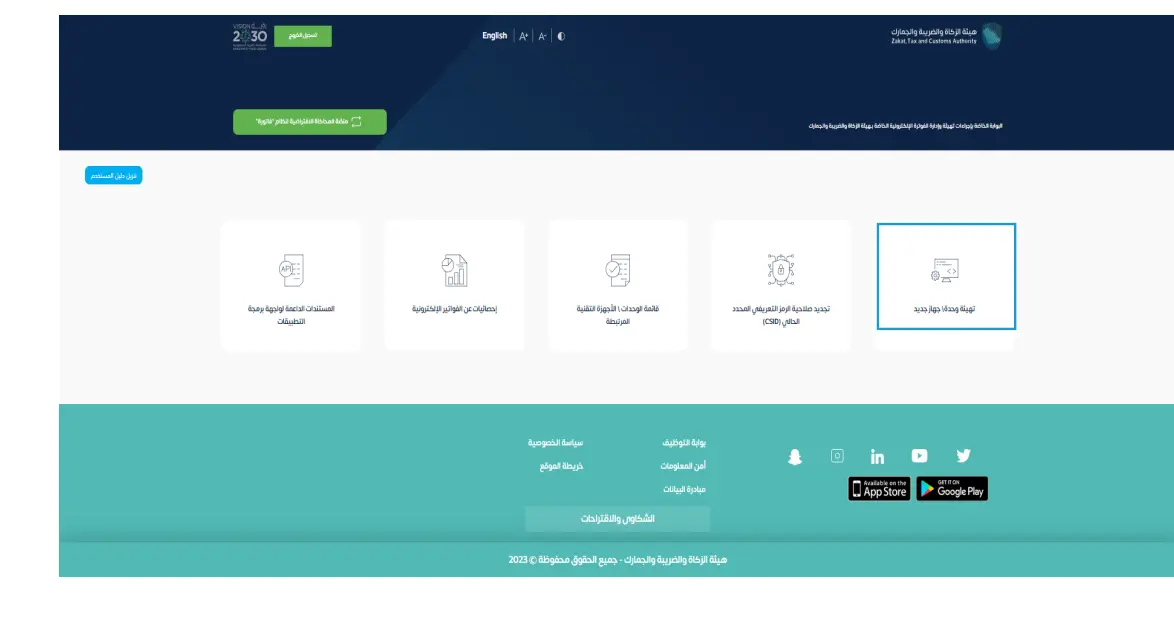
You can access the Fatoora platform through the Zakat, Tax and Customs Authority's website or via the dedicated Fatoora platform link. The basic idea is that the user logs in with the business account or taxpayer credentials, then selects the VAT registration number or business to be managed.
The general steps are as follows:
Go to the Zakat, Tax and Customs Authority's website.
Open the e-invoicing services or the Fatoora platform.
Log in with your taxpayer credentials or through the approved login channels.
Select the VAT registration number or business you want to manage.
Open the Fatoora platform dashboard.
Choose the service you need, such as onboarding a new device or viewing devices or statistics.
Once you're logged in, don't start adding devices at random. It's better to decide in advance how many devices or points of sale you need to connect, especially if you have more than one branch or more than one checkout.
What does device onboarding mean on the Fatoora platform?
Device onboarding means registering with the Fatoora platform the e-invoicing solution unit that will issue invoices in your business. This unit could be a cashier device, a web-based system, a point of sale or any e-invoicing system used to issue invoices.
When a device is onboarded, a link is established between the Fatoora platform and your system, so the system can issue invoices and handle reporting or clearance requirements depending on the invoice type.
A practical example:
If you have 3 branches, each with its own cashier device, you may need to onboard each device or e-invoicing solution unit, depending on how your system is set up. If instead you have a central system that runs several points of sale, the integration method depends on the system's settings and how it is technically approved.
In Kashierapp, this step is simplified so that business owners know which device to connect, what data is required and how to enter the OTP in the system, instead of dealing with complex technical details.
What is an OTP on the Fatoora platform?
An OTP is a temporary activation code generated on the Fatoora platform and used to onboard a device or e-invoicing solution unit. You enter this code in your invoicing or cashier system to complete the integration with ZATCA.
The key things to know about the OTP:
It is generated on the Fatoora platform.
It is used to onboard a device or e-invoicing solution unit.
It is valid for a limited time.
It must be entered in the system within that time.
If it expires, you need to generate a new one.
You may need more than one OTP if you have more than one device or unit.
In practice, don't generate an OTP until you're ready to enter it in the system. Any delay can cause the code to expire, and you'll then have to generate it again.
What is a CSID, and why does your business need one?
CSID stands for Cryptographic Stamp Identifier, the identifier for the cryptographic stamp used within the e-invoicing framework. It links the e-invoicing solution unit to a digital identity that allows it to meet signing or stamping requirements and integrate with the Fatoora platform.
Put simply, you can think of the CSID as part of the technical identity that makes your device or system known to the Fatoora system.
The CSID matters because it:
Enables the device or system to issue compliant invoices.
Connects the e-invoicing solution to the Fatoora platform.
Manages the cryptographic stamping of invoices.
Helps ensure the integrity of invoice data.
Supports reporting or clearance, depending on the invoice type.
If you use a system like Kashierapp, you don't need to understand every deep technical detail of the encryption, but it is important to know that integration requires correct onboarding so that errors don't appear when you issue invoices.
The difference between the simulation and production environments
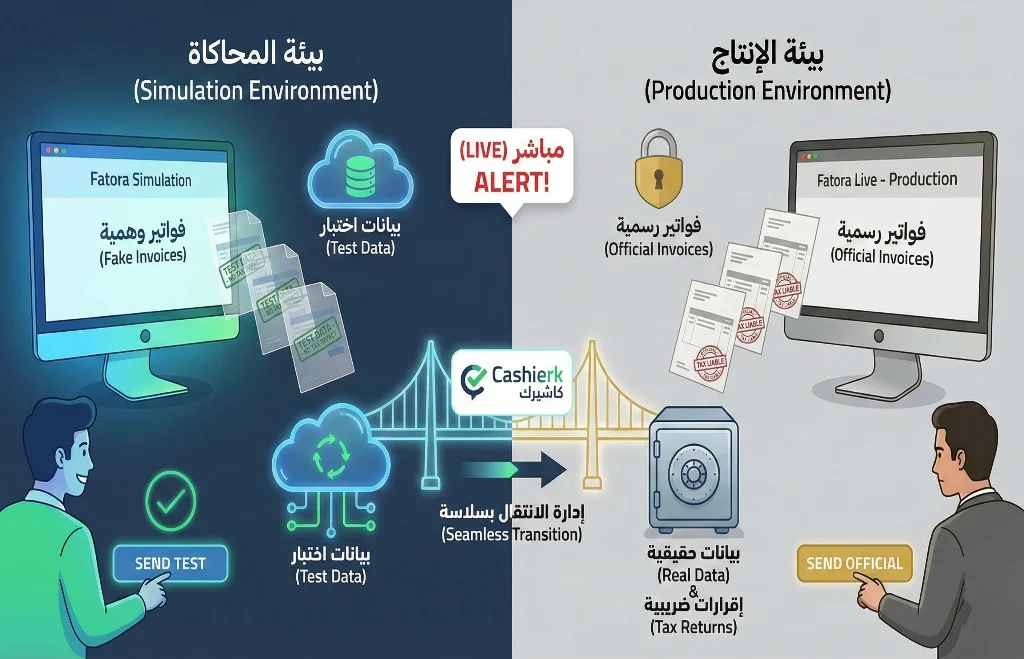
The Fatoora platform provides different environments for integration and testing. Understanding the difference between them is important so you don't confuse test invoices with official ones.
The simulation environment
The simulation environment is a sandbox dedicated to testing. You can use it to try out the integration and send test invoices to make sure the system works correctly before going live.
This environment is useful for developers, support teams and business owners who want to confirm the system is ready without affecting official invoices or tax returns.
The production environment
The production environment is the real one. Any invoice issued and submitted through it must be treated as an actual invoice in your business's operations.
That's why you should move to the production environment only after confirming your settings are correct, completing integration testing and fixing any errors that appeared during simulation.
With Kashierapp, this process is simpler, because the support team helps you understand the status of your integration and make sure the system is ready for live use.
The difference between reporting and clearance on the Fatoora platform
One of the most important things to understand in the Integration phase is the difference between reporting and clearance, because the way the Fatoora platform handles an invoice depends on the invoice type and the customer.
Clearance for tax invoices
Tax invoices, which are usually invoices issued from one business to another, go through a clearance process. In this case, the invoice is sent to ZATCA before it is shared with the customer, and it is validated and cleared according to the requirements.
Put simply, the invoice isn't ready to share with the customer until the required clearance process is complete.
Reporting for simplified invoices
Simplified tax invoices, which are usually sales invoices to end consumers, are issued to the customer directly from the system and then reported to the Fatoora platform within the specified time.
This suits businesses that depend on fast service, such as restaurants, supermarkets and stores, because the system doesn't wait for the platform's response before handing the customer an invoice at each sale.
Understanding this difference helps you choose a cashier system that doesn't disrupt daily sales while still handling reporting and clearance requirements correctly.
How is Kashierapp connected to the Fatoora platform?
Kashierapp is connected to the Fatoora platform through a structured series of steps designed to onboard your business and its devices or e-invoicing solution units in the system.
Here is the general picture of the integration:
Log in to your Kashierapp account.
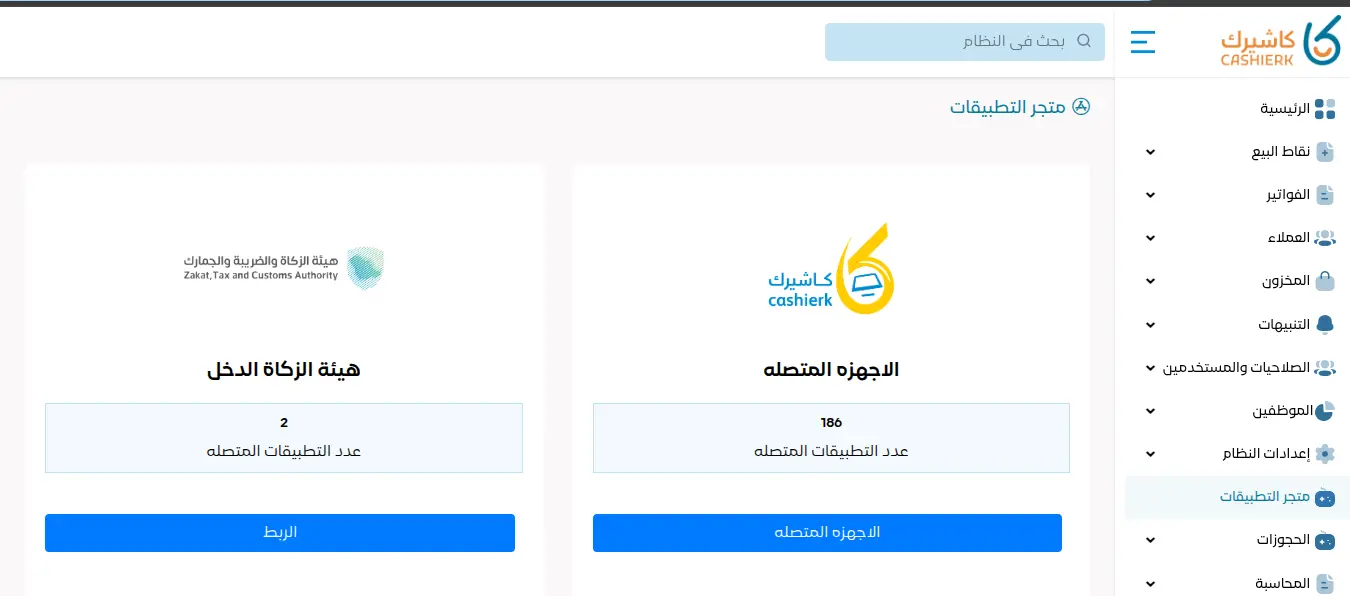
Go to the e-invoicing or ZATCA integration settings.
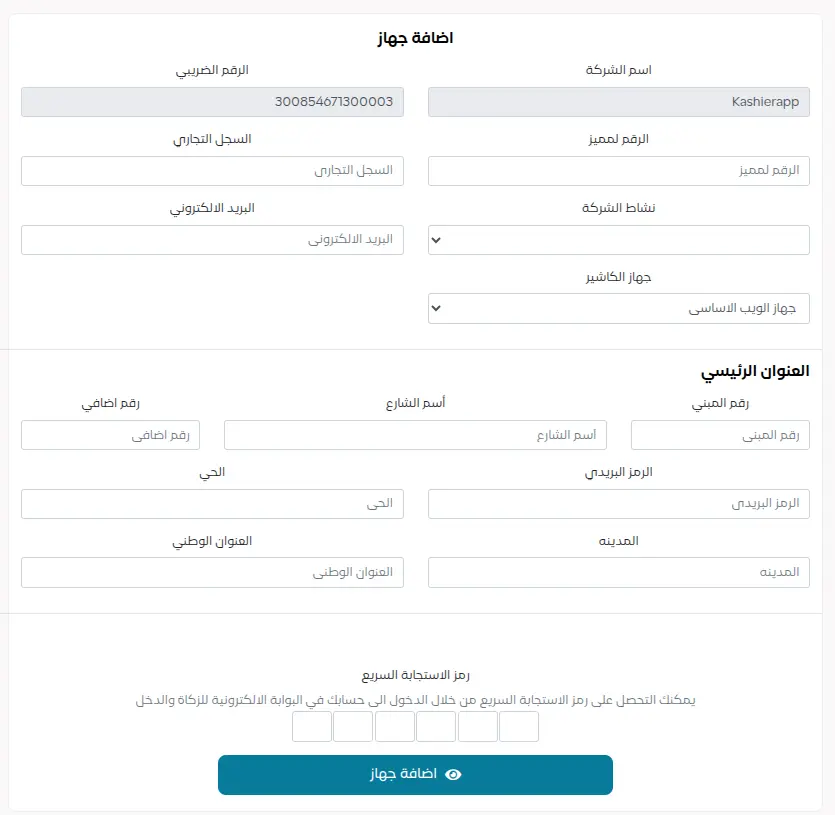
Add your business details, such as your VAT registration number, commercial registration (CR) details and address.
Select the device or point of sale you want to connect.
Log in to the Fatoora platform and generate an OTP.
Enter the OTP in Kashierapp.
Complete onboarding of the device or e-invoicing solution unit.
Test the integration and confirm it was successful.
Start issuing invoices from Kashierapp according to your settings.
The advantage here is that you don't need to deal with XML files or complex encryption settings yourself. The system takes care of the technical side, while you focus on making sure your business, point-of-sale and branch details are correct.
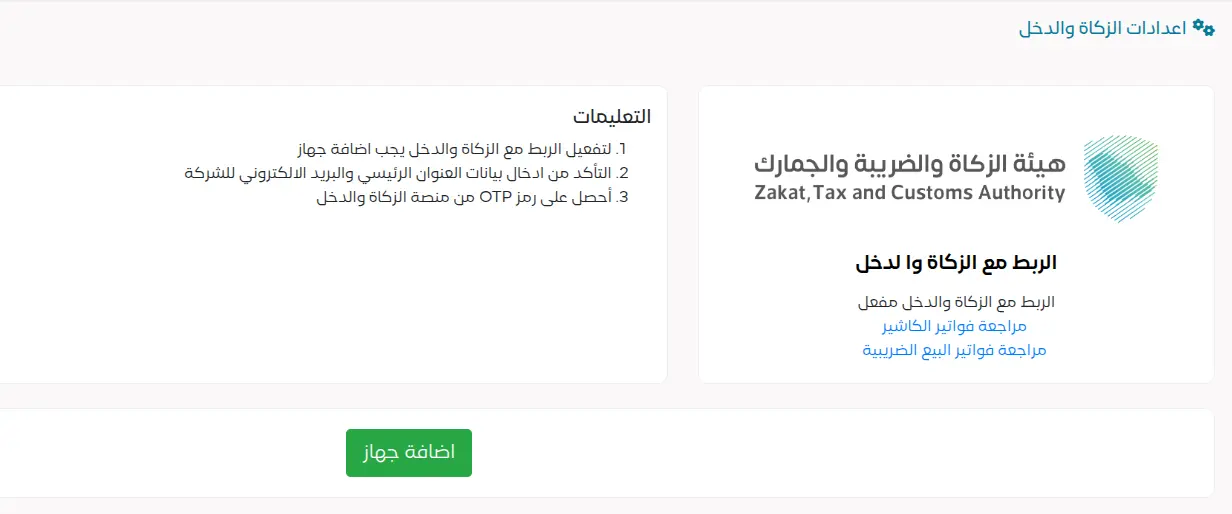
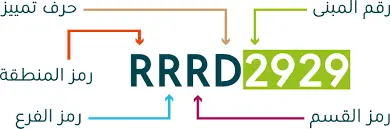
The national address consists of four letters and four numbers, as shown on your official national address document.
Common mistakes when using the Fatoora platform
1. Generating an OTP before your system is ready
If you generate an OTP and don't use it in the system quickly, it may expire and you'll need to generate a new one.
2. Not connecting all the required devices
Some business owners forget to connect the cashier device in a particular branch, which leaves that device unable to submit or report invoices.
3. Entering an incorrect VAT registration number
Your VAT registration number must match your business details and your VAT registration certificate. Any error can cause problems with invoices or the integration.
4. Confusing the simulation and production environments
Sending test invoices in the production environment, or treating the simulation environment as if it were real, are mistakes to avoid.
5. Trying to edit or delete invoices after issuing them
In e-invoicing, invoices can't be handled casually. If a mistake happens, you use credit or debit notes or the appropriate official procedures instead of deleting the invoice or editing it improperly.
6. Relying on a system that isn't ready for integration
Using invoicing or cashier software that doesn't support integration requirements can bring your business to a halt when it is included in a mandatory wave.
How does Kashierapp help with integration and compliance?
Kashierapp reduces the complexity of dealing with the Fatoora platform through a system that brings together point of sale, e-invoicing, reporting and day-to-day business management.
1. Simpler device integration
Instead of dealing with complex technical steps, Kashierapp helps you enter your device details and connect it to the Fatoora platform in an organized way.
2. Invoice management from the point of sale
You can issue invoices directly from Kashierapp, whether you run a store, a restaurant or several branches.
3. Support for tax and simplified invoices
The system helps you handle the invoice types that suit your business, whether they are direct sales invoices to customers or invoices addressed to other businesses.
4. Fewer manual errors
Linking invoices to your sales and core business data reduces the errors that can happen when data is entered manually.
5. Reports that help you keep track
With Smart Reports, you can follow your sales, invoices and performance more clearly, instead of relying on scattered manual reviews.
6. Suitable for different sectors
Whether you run a restaurant, café, store, company, establishment or multi-branch business, Kashierapp helps you manage invoices, points of sale and reports from one platform.
You can start from the Kashierapp invoicing software page, or explore the smart POS system.
Checklist before connecting your business to the Fatoora platform
Before you start the integration, go through this checklist:
Is your VAT registration number correct and up to date?
Do your business details match your registration certificate?
Is your invoicing or cashier system ready for integration?
Have you determined how many devices or points of sale need to be connected?
Do you have access to the Fatoora platform?
Do you know the difference between the simulation and production environments?
Has the integration been tested before going live?
Does your team know how to issue invoices after integration?
Do you have technical support to turn to if errors appear?
Does the system prevent improper deletion or editing of invoices?
These steps help you reduce errors and make the integration process smoother.
Frequently asked questions about ZATCA's Fatoora platform
Is the Fatoora platform the same as invoicing software?
No. The Fatoora platform is not software for issuing invoices by hand. It is a portal for connecting e-invoicing systems to ZATCA and managing certain technical tasks, such as onboarding devices and handling codes and certificates.
Do I need to log in to the Fatoora platform every day?
Usually not. Once integration is complete, invoices are issued through your system, such as Kashierapp, and the system handles reporting or clearance depending on the invoice type.
What is an OTP on the Fatoora platform?
An OTP is a temporary code generated on the Fatoora platform and used to onboard a device or e-invoicing solution unit in your invoicing or cashier system.
What happens if the OTP expires?
If the OTP expires before you use it, you'll need to generate a new code on the Fatoora platform and enter it in the system within the specified time.
What is the difference between reporting and clearance?
Clearance usually applies to tax invoices between businesses: the invoice is sent for clearance before it is shared with the customer. Reporting applies to simplified invoices: they are issued to the customer and then reported to the Fatoora platform within the required time.
Do I need a specific cashier device to connect to the Fatoora platform?
Not necessarily. What matters is using an e-invoicing solution or cashier system that meets the technical requirements and can connect to the Fatoora platform according to your business's situation.
Does Kashierapp help with ZATCA integration?
Yes. Kashierapp helps businesses manage e-invoices and meet ZATCA's integration requirements, while simplifying the steps for onboarding devices and issuing invoices from within the system.
Can I test the integration before going live?
Yes. You can use the simulation environment to test the integration before moving to the production environment, so you can be sure the system is ready for live operation.
Start connecting your e-invoices with Kashierapp
Dealing with the Fatoora platform can seem complicated at first, especially if you don't have a technical background in e-invoicing or integration with government systems. But using a ready, suitable system reduces that complexity and saves you a lot of time and errors.
With Kashierapp, you can manage e-invoices, points of sale and reports from one platform, with support for integration and the day-to-day operating requirements of businesses in Saudi Arabia.
Get started now by contacting the Kashierapp team, and choose the right solution for your business before your mandatory deadline.
Download the Fatoora platform user guide

ZATCA E-Invoicing Phase 2 Guide: Integration Phase 2025
What is Phase 2 of e-invoicing?Phase 2 of e-invoicing is an advanced step toward digitizing financial transactions and invoices in...
Read the article
Use Sales Invoice Software to Simplify Your Operations
Why accounting software matters in business managementAccounting software plays a central role in the success of modern businesses, providing effective...
Read the article.webp)
E-Invoicing in Saudi Arabia: A Complete Guide for Your Business
Table of contents What is an e-invoice?Why e-invoicing matters for Saudi Arabia and for businesses Types of e-invoices What are the elements of...
Read the article
Saudi Tax Invoice: The Complete 2025 Guide
Key takeawaysWhat a Saudi tax invoice is and why it mattersVAT requirements in Saudi ArabiaHow to issue e-invoices step by...
Read the article
VAT Settlement at the End of the Quarter: A Step-by-Step Guide
What does VAT settlement mean?VAT settlement means adding up and calculating the difference between output tax (the VAT you collect...
Read the article
Best iPad Cashier Software to Manage Delivery Orders in One Place
Delivery apps such as Jahez, HungerStation and ToYou have become an indispensable partner for increasing sales and reaching new customer...
Read the article Riyadh - King Fahd Road - Al Yamamah Tower, 1st Floor - Office 102

