

Saudi VAT Number 2026: Registration, Verification and VAT vs TIN
As tax legislation in Saudi Arabia keeps evolving, and as e-invoicing and the Integration phase with the Zakat, Tax and Customs Authority (ZATCA) continue to expand, the VAT registration number has become essential to running any business that is subject to value-added tax (VAT).
The VAT number is no longer just a number printed on an invoice. It is now part of a business's financial identity, used to issue tax invoices, verify tax registration, file returns and connect e-invoicing systems to the Fatoora platform.
In this guide, updated for 2026, we explain what the Saudi VAT number is, how it differs from the TIN (unique taxpayer number), how to register and verify it, the most important mistakes to avoid, and the role of Kashierapp in managing your invoices and tax operations in an organized way that meets ZATCA requirements.
Contents
What is the Saudi VAT number?
What is the difference between the VAT number and the TIN?
Is a VAT number mandatory for every business?
When does a business need to register for VAT?
Where does the VAT number appear on an invoice?
How to get a VAT number in Saudi Arabia
How to verify a VAT number
How the VAT number relates to e-invoicing
The most common VAT number mistakes that cause problems for businesses
How does Kashierapp help you manage your VAT number and invoices?
FAQ about the Saudi VAT number
What is the Saudi VAT number?
The Saudi VAT number is an identification number issued by ZATCA to businesses or individuals registered for value-added tax. It links the business to ZATCA, proves its tax registration and is used to organize invoices, returns and taxable financial transactions.
When a business registers for VAT, it is issued a VAT registration number, which becomes one of the core pieces of data that must be managed accurately in its invoicing, accounting and POS systems.
Simply put, the VAT number is the business's tax identity in front of ZATCA, as well as its customers, suppliers and any party that needs to check its VAT registration status.
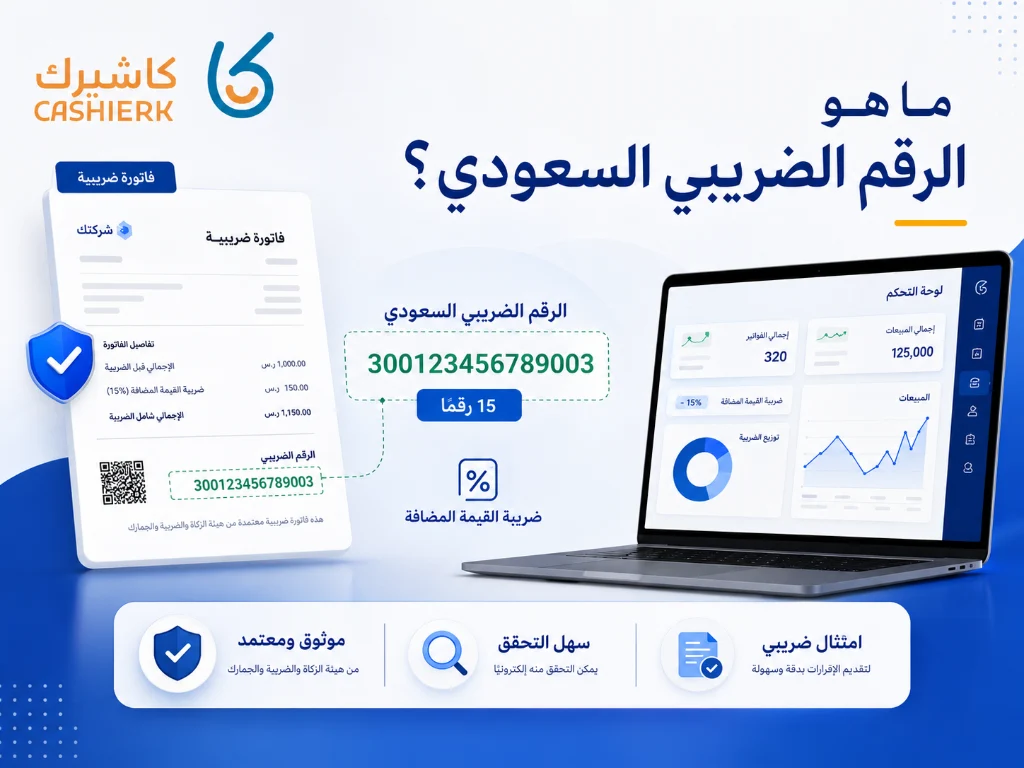
What does the VAT number consist of?
A VAT registration number in Saudi Arabia consists of 15 digits, and according to the e-invoicing technical guidelines it must begin and end with the digit 3.
One subtle point is worth making here: it is not advisable to rely on unofficial breakdowns of the VAT number or to read a specific administrative meaning into each digit. What matters in practice is making sure the number is correct, that it matches the registration certificate, and that it appears correctly on your invoices and in your accounting systems.
So when you enter your VAT number into your cashier system or invoicing software, make sure that:
The number has 15 digits.
The number matches your VAT registration certificate.
The number is entered without typos or extra spaces.
The number appears in the right place on your tax invoices.
Your system validates the number's format before issuing an invoice.
This is where a system like Kashierapp proves its value: it stores your business's tax details in the system and inserts them into invoices automatically, instead of you typing them by hand every time.
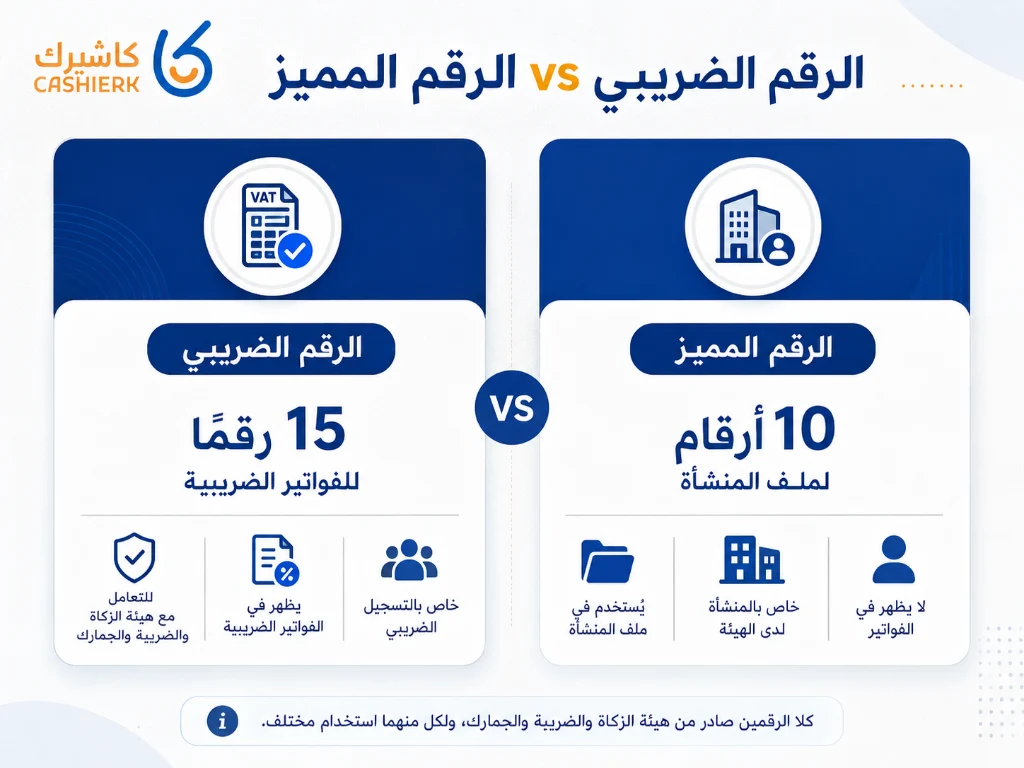
What is the difference between the VAT number and the TIN?
One of the most common mistakes among business owners is confusing the VAT number with the TIN (unique taxpayer number). Although both are linked to the business and to ZATCA, each one is used for a different purpose.
| Aspect | TIN (unique number) | VAT number |
|---|---|---|
| Main use | Linked to the taxpayer's file with ZATCA | Specific to VAT registration |
| Appears on invoices | Not normally used in place of the VAT number on invoices | Appears on the tax invoices of registered businesses |
| Relation to e-invoicing | Not the number required as the VAT number | Used as the tax number on invoices and in invoicing systems |
| Common mistake | Entering it instead of the VAT number in the invoicing system | Must be entered exactly as shown on the registration certificate |
The practical rule: when you set up your cashier or invoicing system, don't put the TIN in the VAT number field. Use the 15-digit VAT registration number exactly as it appears on your registration certificate.
In Kashierapp, your business's tax details are handled through clear settings that help reduce VAT number entry errors, especially when issuing tax invoices or linking sales data to reports.
Is a VAT number mandatory for every business?
A VAT number is not mandatory for every business without exception, but it becomes necessary when a business is required or eligible to register for VAT based on its annual revenue and type of activity.
In general, businesses that carry out economic activity subject to VAT and whose revenue reaches the mandatory registration threshold must register for VAT, and once registered they are issued a VAT number.
Businesses that have not reached the mandatory threshold but have exceeded the voluntary registration threshold may have the option of registering voluntarily, if that suits their commercial and financial situation.
When does a business need to register for VAT?
A business needs to review its VAT registration position if it carries out economic activity in Saudi Arabia and earns annual taxable revenue.
In Saudi Arabia, the mandatory VAT registration threshold is SAR 375,000 a year, while registration is voluntary for those whose annual revenue exceeds SAR 187,500 but has not reached SAR 375,000.
This means a business that has exceeded the mandatory threshold must take the matter seriously, because registering late or issuing incorrect invoices can lead to regulatory problems and fines.
This is why it helps to have a system that shows your taxable sales clearly, such as the sales and invoice reports in Kashierapp, instead of relying on manual tallies that can lead to errors.
Where does the VAT number appear on an invoice?
The VAT number usually appears in the seller's details on the tax invoice, next to the business name and its basic information. Showing the VAT number correctly is one of the key elements of tax invoices for VAT-registered businesses.
Showing the number correctly matters for three reasons:
It helps the customer or supplier verify that the business is registered.
It reduces the chance of the invoice being rejected or treated as incomplete.
It makes it easier to review invoices when preparing tax returns.
If you use a manual system or a word processor to issue invoices, you can easily make mistakes such as forgetting the number, entering it incorrectly or using an outdated number. With a POS and invoicing system like Kashierapp, the number is stored in your business details and shown on invoices automatically, according to your system settings.
How to get a VAT number in Saudi Arabia
Businesses can register for VAT through ZATCA's e-services. Once registration is complete, a VAT registration number and registration certificate are issued.
The general steps are as follows:
Log in to your business account on the ZATCA portal.
Select the VAT registration service.
Fill in the registration form with the required details.
Enter your business activity and annual revenue details.
Attach any required documents.
Submit the application and wait for processing to finish.
Receive your registration certificate and VAT registration number.
Once the number is issued, add it right away to your sales, invoicing and accounting systems so your business details appear correctly on invoices and reports.
Documents and information you need to register
The information required varies by type of business, but you will usually need to prepare basic details such as:
Commercial registration (CR) details.
Details of the business owner or authorized representative.
Information about the business activity.
Actual or expected annual revenue.
Bank account or IBAN details, if needed.
The business address and contact details.
Any supporting documents ZATCA requests based on the business's situation.
Preparing this information before you register reduces the chance of your application being rejected or delayed, and ensures that the details ZATCA holds match your business's actual details.
How to verify a VAT number
ZATCA offers an online service for verifying whether a business is registered for VAT. You can use it to check registration status with any of the available details, such as the VAT number, the commercial registration number or the VAT certificate number.
Verifying a VAT number matters in many situations, including:
Confirming that a supplier is registered for VAT.
Checking that your own business's public details are correct.
Reviewing invoice details before approving them.
Reducing the risk of dealing with unregistered businesses.
The verification steps, in brief:
Open the VAT registration verification service on the ZATCA website.
Choose the appropriate search type.
Enter the required number, such as the VAT number or the commercial registration number.
Submit the request.
Review the registration status and the details shown.
We recommend checking VAT numbers regularly, especially when you start working with a new supplier or update your business details.
How the VAT number relates to e-invoicing
An e-invoice in Saudi Arabia is not just a PDF invoice or a scanned image. It is an invoice generated in a structured electronic format through a technical solution that complies with ZATCA requirements.
Phase 1 of e-invoicing took effect on December 4, 2021, and focused on issuing and storing invoices electronically through a compliant solution. Phase 2 (Integration) has been rolled out in waves since January 1, 2023, and requires connecting e-invoicing systems to ZATCA's systems and issuing invoices in the specified formats and to the specified requirements.
The VAT number is an important part of the invoice and business data here, because it identifies the VAT-registered seller or buyer, and it must be correct so the business doesn't run into problems with its invoices or integration.
If your business falls within the groups targeted by the Integration phase, you need an e-invoicing system that can handle ZATCA's requirements, not just software that prints a traditional invoice.
Learn more about Kashierapp's solutions on the e-invoicing page.
An important 2026 update on the Integration phase
In July 2026, ZATCA announced the criteria for Wave 25 of the e-invoicing Integration phase. It covers businesses whose VAT-taxable revenue exceeded SAR 187,500 in 2022, 2023, 2024 or 2025, and the targeted businesses will be notified before their integration deadline.
This update matters for owners of small and medium-sized enterprises (SMEs), because it shows that the scope of integration is gradually expanding to cover more taxpayers. So even if your business wasn't included in an earlier wave, it's better to prepare your invoicing and cashier system early rather than wait for the integration notice to arrive.
The most common VAT number mistakes that cause problems for businesses
1. Using the TIN instead of the VAT number
This is one of the most common mistakes. The TIN is not a substitute for the VAT registration number on an invoice. If you enter the wrong number in your invoicing system, your invoices may show incorrect details.
2. Entering a VAT number with missing or extra digits
A Saudi VAT registration number has 15 digits. Any missing or extra digit can cause the number to be rejected or incorrect details to appear on the invoice.
3. Not updating your business details in the cashier system
Your business details or tax certificate may be updated while the system keeps using the old data. That is why you should review your system settings after any official change to your business details.
4. Issuing invoices without a correct VAT number
VAT-registered businesses must make sure the correct VAT number appears on every invoice that requires it. Ignoring this can cause problems during audits or when dealing with customers and companies.
5. Relying on manual invoices or disorganized files
Manual invoices or Excel files may help temporarily at the start, but they are not suitable for managing tax obligations and electronic integration in the long run, especially as e-invoicing requirements expand.
How does Kashierapp help you manage your VAT number and invoices?
Managing your VAT number doesn't stop at getting it; what matters most is using it correctly in your daily sales, invoices and reports. Kashierapp helps here with a POS and e-invoicing system designed for restaurants, stores and multi-branch businesses.
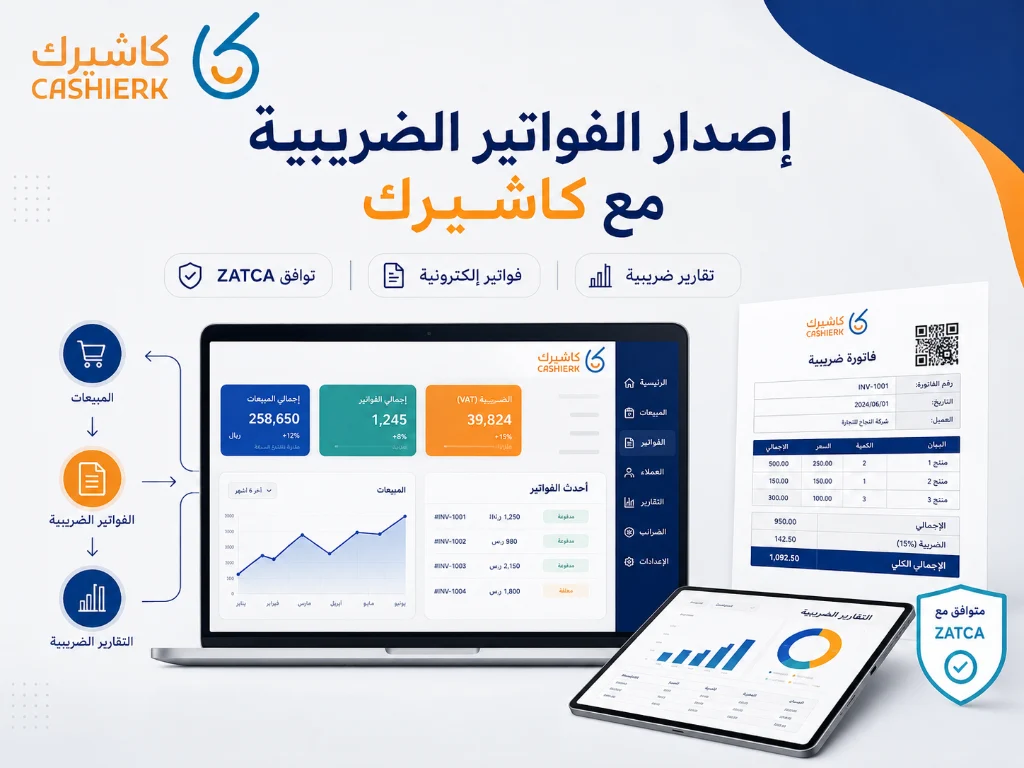
1. Store your business's tax details in the system
You can add your business details and VAT number to the system so they appear neatly on your invoices, instead of typing them by hand on each one.
2. Issue organized tax invoices
Kashierapp helps you issue invoices and link them to sales, reducing the errors that come from manual data entry.
3. E-invoicing support
Kashierapp provides solutions that help businesses meet e-invoicing requirements in Saudi Arabia, whether that means issuing invoices, organizing data or linking daily operations to reports.
4. Reports that help you track VAT
Instead of reviewing every invoice by hand, you can rely on sales and invoice reports to see total sales, the tax collected and the data you need when preparing your return.
5. Suitable for restaurants, stores and branches
Whether you run a restaurant, a café, a retail store or several branches, Kashierapp helps you unify your sales and invoice data in a single system.
Visit the smart POS system page to learn more about the Kashierapp platform.
Checklist before issuing tax invoices
Before relying on any cashier or invoicing system, review these points:
Has the VAT number been added correctly?
Does the number match your VAT registration certificate?
Are the business name and address correct?
Does the VAT number appear on the invoice when required?
Does the system support e-invoicing?
Can you generate sales and tax reports?
Does the system suit your type of business: restaurant, café, store or multiple branches?
Can the system connect with payment, menu or inventory solutions?
These simple steps help you reduce errors and improve your business's readiness for tax compliance.
FAQ about the Saudi VAT number
What is the Saudi VAT number?
The Saudi VAT number is an identification number issued by ZATCA to businesses or individuals registered for VAT. It is used on invoices and returns and to verify tax registration status.
Is the VAT number the same as the TIN?
No. The VAT number relates to VAT registration and is used on tax invoices, while the TIN is linked to the taxpayer's file with ZATCA and is not used in place of the VAT number on invoices.
How many digits does a Saudi VAT number have?
A Saudi VAT registration number has 15 digits and must be entered exactly as it appears on the tax registration certificate.
How do I verify a VAT number?
You can verify a VAT number through the VAT registration verification service on the ZATCA website, using the VAT number, the commercial registration number or the VAT certificate number.
When must I register for VAT?
You must register once you exceed the mandatory VAT registration threshold, while businesses that have exceeded the voluntary threshold but not reached the mandatory one may register voluntarily.
Do I need a VAT number if my business is small?
That depends on your annual revenue and type of activity. If you haven't reached the statutory registration thresholds, registration may not be mandatory, but you should keep monitoring your revenue so you don't cross the threshold without noticing.
Does the VAT number appear on the e-invoice?
Yes. The VAT number appears in the invoice details when the business is VAT-registered and issues invoices that must include its tax details.
Does cashier software help calculate VAT?
Yes. Good cashier software helps calculate tax on invoices, organize sales and produce reports that help the accountant or business owner prepare the tax return.
Is Kashierapp suitable for issuing tax invoices?
Yes. Kashierapp suits businesses that need a POS and invoicing system to help them manage sales, invoices, tax and inventory from one place.
Manage your tax invoices easily with Kashierapp
Getting a VAT number is an important step, but what matters most is managing your invoices, sales and reports correctly after you register. If you are looking for a system that helps you issue invoices, organize sales, track tax and run your business from a single platform, Kashierapp offers practical solutions for restaurants, stores and multi-branch businesses.
Get started now by contacting the Kashierapp team and request a trial of the right system for your business.

Cashier Systems and Financial Accounting: 7 Strategies for Growth
Financial accounting: how it supports cloud cashier systems in Saudi ArabiaIn this article, we cover the following topics: 1 / What...
Read the article
What Is Kashierapp? Cloud Cashier Software and Its Key Features
Kashierapp cashier softwareCashier software (a point of sale (POS) system ) is one of the essential tools for managing sales...
Read the article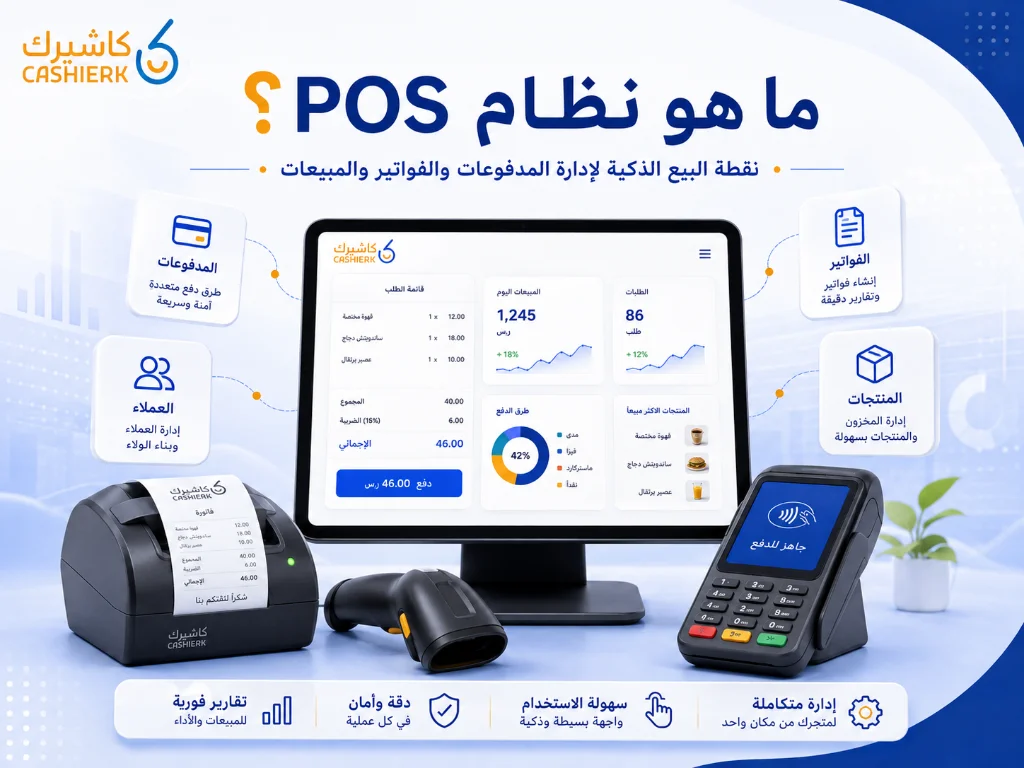
What Is Kashierapp? A Guide to POS and Cloud Point of Sale
A cashier system is no longer just a device for taking payments or printing receipts in a shop. Today, the...
Read the article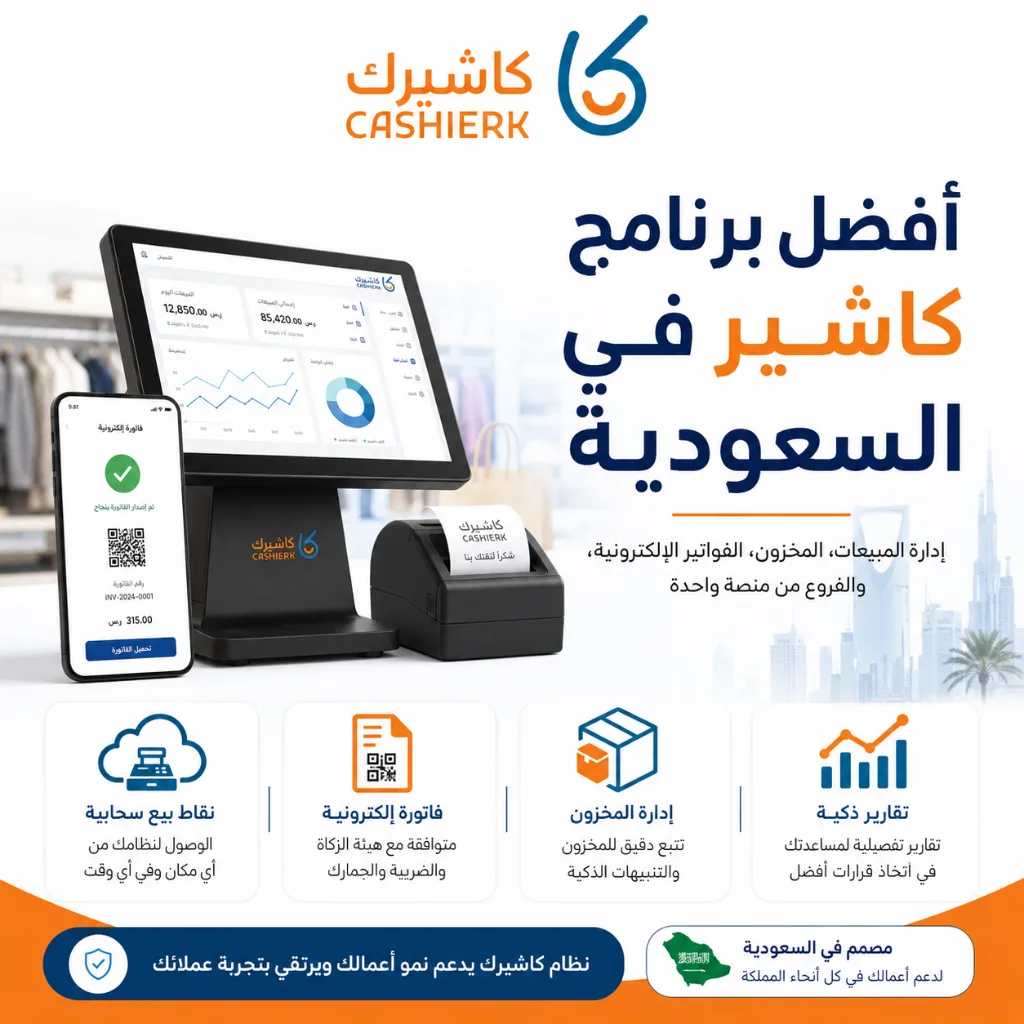
Best Cashier Software in Saudi Arabia: Sales, Stock, E-Invoices
Choosing the best cashier software in Saudi Arabia is no longer a simple decision about how fast you can issue...
Read the article
What Is a Cashier System? Types, Benefits and Kashierapp's Role
In modern commerce, a cashier system is no longer just a way to collect payments or print receipts; it has...
Read the article.webp)
Effective Inventory Management to Grow Your Business
What you'll learn in this article:What inventory management is and why it matters to businessesHow to use an enterprise resource...
Read the article Riyadh - King Fahd Road - Al Yamamah Tower, 1st Floor - Office 102

