
How to Prevent Theft and Inventory Shrinkage: 5 POS Steps
Do you know where 5% of your profits go every year? In retail and restaurants, there is a silent enemy that slowly eats away at profits without anyone noticing, known worldwide as inventory shrinkage. Studies indicate that small and medium-sized stores can lose between 2% and 5% of their total annual sales to shrinkage. The shocking surprise for many business owners is that most of these losses don't come from burglars breaking in at night, but from the inside: unintentional human errors in counting and recording, manipulation and theft by employees, or poor supplier management.
Relying on trust alone to manage money and goods is no longer a successful business approach in 2026. Security cameras alone aren't enough either: they may show you an employee making a sale, but they can't tell you whether the invoice was recorded in the system, or whether it was recorded at the correct price or a lower one. The real, lasting solution is to close these gaps with technology, using an advanced cashier and point of sale (POS) system. In this comprehensive guide, we explain 5 practical, proven strategies to close these gaps completely using Kashierapp.
1. Manage permissions smartly: close the door to manipulation before it opens
The fatal mistake most managers make is being lax with passwords or giving cashier staff admin (full manager) permissions to make work easier. When a cashier has full permissions, they can easily pull common tricks, such as selling a product to a customer and collecting the money, then going into the system and deleting the entire invoice, or creating a "fake return" for the same invoice at the end of the day and taking its value in cash.
The technical solution with Kashierapp: Strictly enforce user roles, so that what each employee can do is defined precisely:
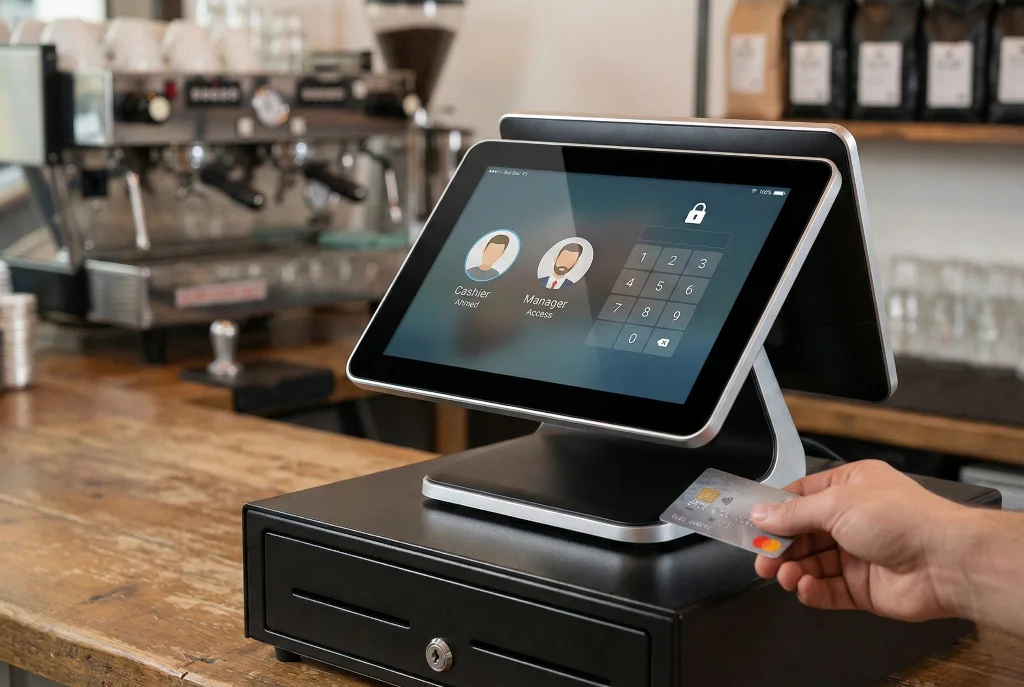
Cashier: Their permissions should be limited to "create a new invoice" and "receive cash" only. Dangerous buttons should be hidden from them, such as delete invoice, edit product price, apply an open discount or view profit reports.
Supervisor: The only person who holds the "card" or "secret code" that allows a return or invoice cancellation, and this must be done in their physical presence. With this setup, even if an employee wants to manipulate the system, they hit a technical wall that requires manager approval, which shuts the door to theft from the start.
2. Automate inventory with barcodes: eliminate forgetfulness and human error
Theft and shortages don't only happen at the point of sale; they often start the moment goods are received from the supplier. Relying on paper ledgers or memory to record incoming goods is a breeding ground for disaster. A supplier may deliver 10 cartons while an employee mistakenly records 12, which means you've paid for goods that never entered your warehouse!
How does the system control this process? The inventory management system in Kashierapp turns the process into an accurate digital one that leaves no room for dispute:
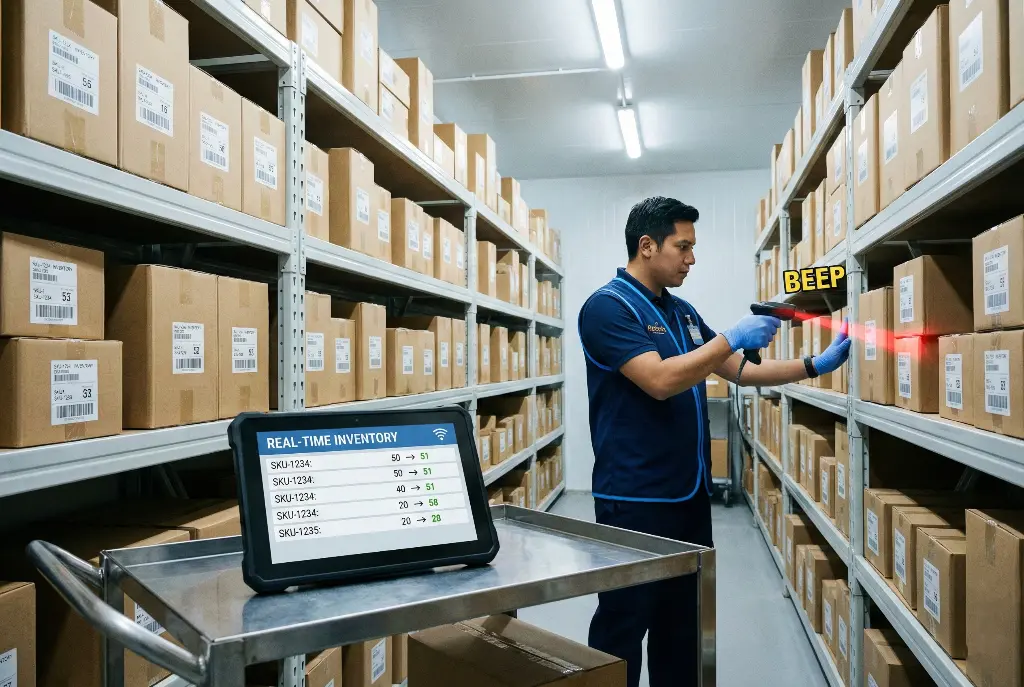
Barcode receiving: When goods arrive, they aren't just counted by hand; every item is scanned with a barcode scanner to check it into the system. This ensures the invoice matches reality 100%.
Automatic deduction: As soon as any item is sold at the cashier, it is instantly deducted from the central inventory (real-time sync).
Low-stock alerts:
The system tells you clearly: "You now have only 5 units of this item." If you do a count and find 4, you know for certain that one is missing, and you can pinpoint when it disappeared.
3. The blind stocktaking strategy: uncover what's hidden
A traditional stocktake done once a year (the annual inventory count) is a good accounting practice, but it is very poor at "preventing" theft because it comes far too late. A thief knows they have a whole year before anyone finds out.
The smart strategy: surprise, partial counts. Kashierapp lets you apply a clever management technique called blind stocktaking. Instead of printing a sheet for an employee that says "Pepsi: 50 cans" and asking them to confirm it, which may tempt them to be lazy and say "all good, they're there" without counting, print a count sheet from the system without showing the expected quantities. Ask the employee: "Go into the storeroom, count only the chip cartons and write down the actual number." When they enter the number (say, 48) and the system knows it should be 50, the software instantly generates a variance report showing the shortage. Repeating this surprise check randomly on different items keeps employees constantly disciplined, because they expect a count at any moment.
4. Shift closing (Z-report) and cash drawer reconciliation
The handover from the morning employee to the evening employee is a "gray zone" where accountability gets lost unless it's governed by a strict system. If the drawer is open to everyone all day, you'll never know who is responsible for a shortfall.
The technical solution: The cashier software enforces a strict shift-closing protocol:
Count before the report: The system asks the cashier to count the cash actually in the drawer and enter the amount (for example, SAR 1,500) before they see how much is supposed to be in the drawer.
Generate the Z-report: The system compares the amount the cashier entered with the recorded sales.
Reveal shortages and overages: The difference appears instantly. If there's a shortage, it is recorded as a debt owed by the employee; if there's an overage (also a warning sign that may mean a sale wasn't recorded), it is investigated. This process makes every employee a trustworthy guardian of the cash in their care.
5. Enable the audit log: the black box that never lies
What if an employee is tech-savvy and tries to manipulate the system itself? This is where the most powerful feature of modern cloud systems comes in: the audit log.
This log runs in the background like a digital security camera, recording every move made in the software:
Who opened the cash drawer (Open Drawer) without making a sale? At what hour and minute?
Who printed an invoice and then canceled it before saving?
Who tried to change an item's price from 100 to 50 and then changed it back?
Failed login attempts with wrong passwords.
Having this log and reviewing it weekly gives you a complete view of employee behavior, and simply knowing that management reviews it is the strongest psychological deterrent against even thinking about manipulation.
In conclusion: security isn't a cost, it's an investment
Ultimately, you need to realize that the cost of buying and activating tight cashier software like Kashierapp is nothing compared to the daily losses leaking out of your shop through disorder or small thefts that add up. The software isn't just an advanced calculator; it's a strict supervisory manager working with you 24 hours a day to make sure every halala that leaves the customer's pocket lands safely in your till.
Start today by reviewing your employees' permissions, enable partial stocktaking, and let technology be your trusted gatekeeper.
Frequently asked questions about protecting shops from theft and inventory shrinkage
1. How can I detect a cashier manipulating invoices if I'm not in the shop?
You can detect it easily with the audit log feature in Kashierapp. The system records any suspicious activity, such as "drawer opened without a sale," "item deleted after being added to the invoice" or "unsaved invoice printed." The cloud system also lets you follow these reports in real time from your mobile phone wherever you are.
2. Do security cameras make cashier and inventory software unnecessary?
No. Cameras and cashier software complement each other. Cameras record the "picture," but they don't record the "data." You might see an employee take the money and put it in the drawer, but you won't know whether they recorded the full amount or only half of it. The cashier software controls the numbers and inventory, while the camera documents the event visually when the reports show a shortfall.
3. What is blind stocktaking, and is it effective at detecting theft?
Blind stocktaking means asking an employee to count a specific item (such as water bottles) without telling them the quantity recorded in the system. If the system shows 100 bottles and the employee knows it, they may write 100 without counting. With a blind count, they have to actually count. If they write 95, the system instantly reveals a shortage of 5 bottles, which makes it the most effective way to uncover internal theft.
4. Is giving admin permissions to a branch manager risky? Yes, it can be risky if there's no oversight. The golden rule of retail security is "separation of permissions." No single person (even a manager) should be able to sell, purchase, edit, delete and count stock alone. It's best for delete and return permissions to be restricted and monitored directly by the business owner, or to require dual approval.
5. How do barcodes help me reduce inventory shortages?
Using barcodes eliminates "human error" and mix-ups between similar products. Instead of the cashier accidentally selling a "blue shirt" at the price of a cheaper "white shirt," the barcode reads the product code accurately, deducts it from inventory and applies the correct price automatically. This keeps your book inventory matched to your physical inventory with up to 99% accuracy.
.webp)
Effective Inventory Management to Grow Your Business
What you'll learn in this article:What inventory management is and why it matters to businessesHow to use an enterprise resource...
Read the article.webp)
Cashier Software for Efficient Sales and Inventory Management
Cashier software that supports every payment method and complies with tax and zakat requirementsDetailed reports on sales and buying patternsAccurate...
Read the article
Goodbye Manual Stocktaking: How Kashierapp Simplifies Inventory
Goodbye to manual stocktaking: how does Kashierapp make inventory management smart and simple?In today's fast-moving world of commerce, inventory is...
Read the article
Supplier and Procurement Management: Lower Costs, Higher Profits
In the challenging world of trade, there is a golden rule that leading merchants pass down from generation to generation:...
Read the article Riyadh - King Fahd Road - Al Yamamah Tower, 1st Floor - Office 102

