
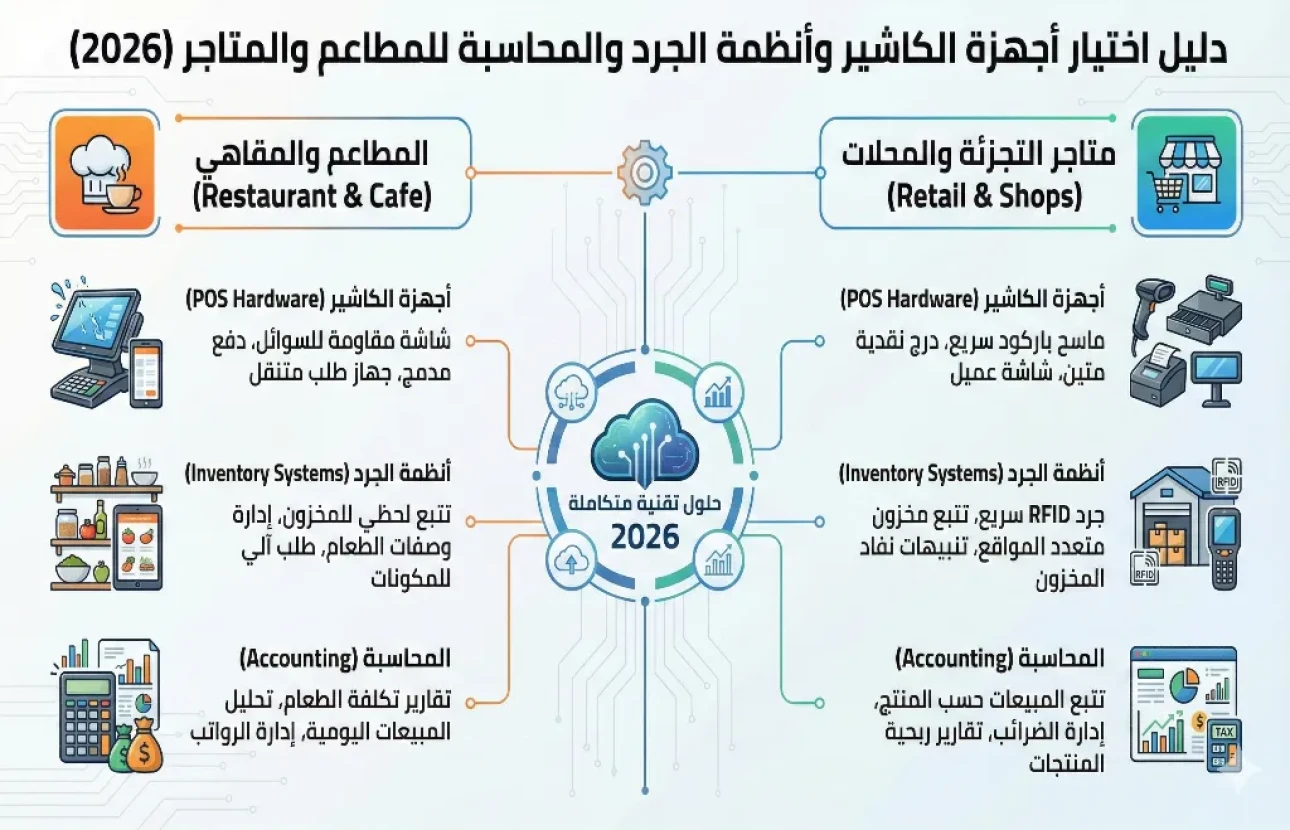
POS Hardware, Inventory and Accounting Systems: 2026 Guide
In today's fast-paced business world, the cashier is no longer just a drawer for collecting cash, and accounting is no longer just paper ledgers. Whether you run a busy restaurant, a supermarket with thousands of items or a pharmacy that demands medical precision, choosing the right POS hardware and connecting it to automated inventory and accounting software is the backbone of your business's success.
This guide is your complete reference for understanding the technical infrastructure your business needs and how to choose equipment and software that deliver speed, accuracy and legal compliance.
Why switch to smart, integrated cashier systems
Before diving into hardware details, it's important to understand that a modern point of sale system is the “brain” of your premises. An integrated system connects the front-end sales process with back-end operations such as inventory and accounts.
Investing in a complete POS system gives you:
Faster customer service: shorter waiting times in line.
Accurate data: no human errors in calculation or data entry.
Tight control: prevention of theft and tampering with inventory or cash.
Real-time reports: profits, best-selling products and shortages at the push of a button.
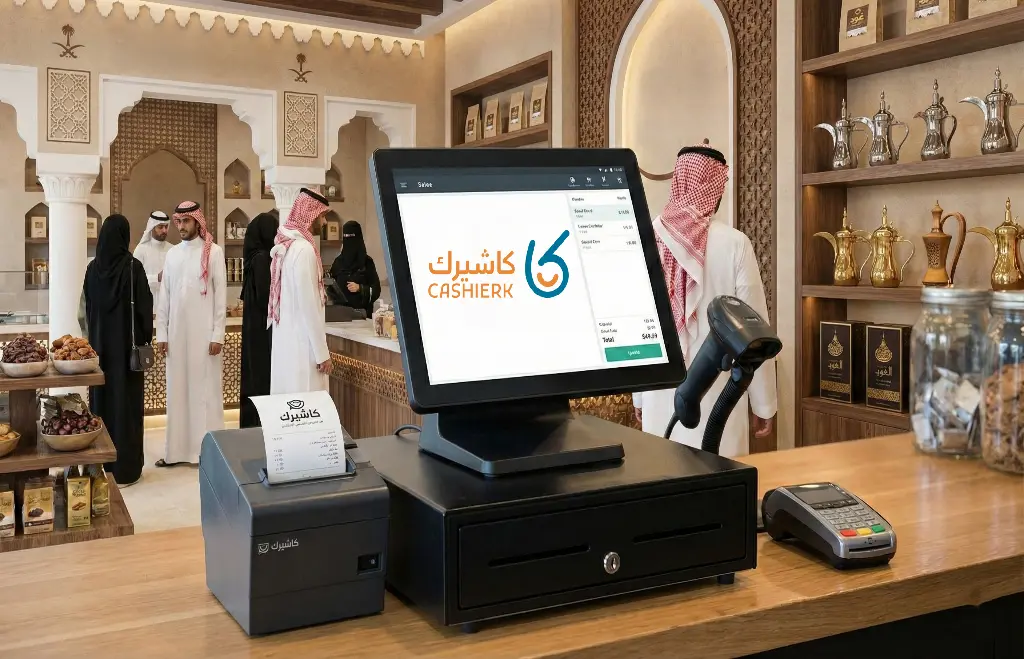
Types of POS hardware and accessories by business type
Hardware requirements differ radically depending on the type of business. A cashier device that works well in a clothing store could be a disaster in a restaurant. Here is the breakdown:
1. POS equipment for restaurants and cafés (speed and durability)
Restaurant environments involve heat, liquids and high speed, so they need devices with special specifications:
Touch screen POS: the foundation. Capacitive screens are preferred because they respond to a light touch and make it quick to move between menus, and they should be resistant to water splashes and grease (IP54 rating).
Kitchen printers: these differ from regular receipt printers. Kitchen printers are usually dot matrix or thermal printers with a loud buzzer and heat protection, to alert the chefs to new orders.
Kitchen display systems (KDS): the modern alternative to printers. These screens show orders to the chefs along with preparation times, improving operational efficiency.
Handheld POS devices: essential for large restaurants, so the captain can take an order at the table and send it straight to the kitchen without going to the main cashier.
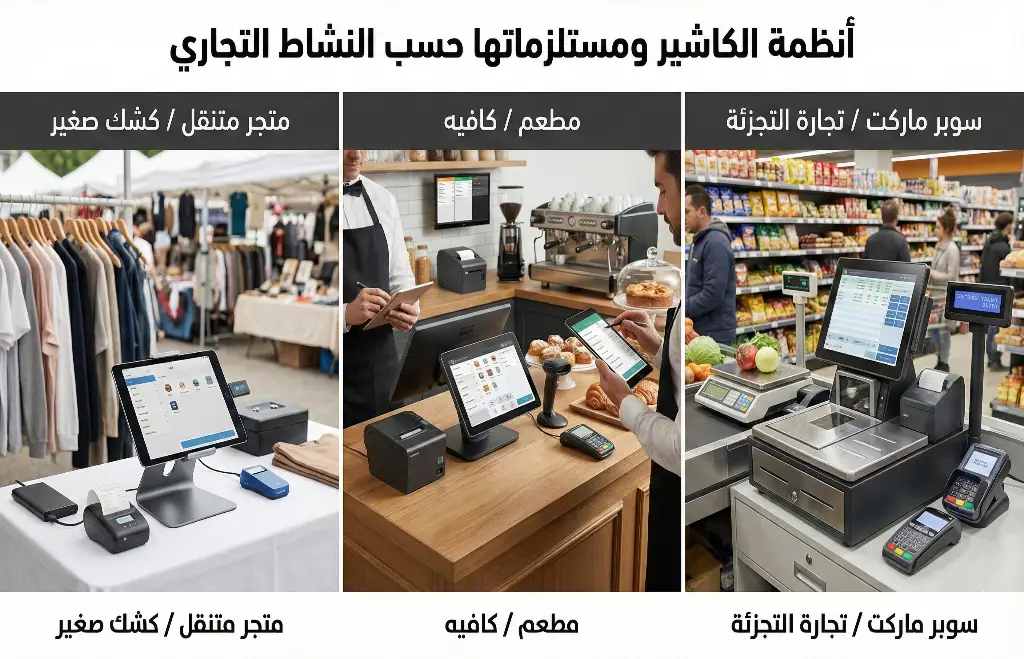
2. POS equipment for supermarkets (accuracy and barcodes)
A supermarket means thousands of products and very fast sales, so the focus here is on scanning devices:
Barcode scanner:
Desktop (omnidirectional) scanner: sits fixed on the counter and reads the product from any angle (multi-line). It is the fastest and best option for a busy checkout.
Handheld scanner: used for heavy products that are hard to lift onto the checkout.
Barcode scale: a scale that prints a barcode sticker containing the weight and price for the cashier to scan directly, or a scale built into the scanner (scale scanner) to speed up checkout.
Cash drawer: should be made of strong, heavy-duty metal to withstand being opened and closed thousands of times a day.
Customer display: a small screen that shows the customer the price and total, for greater transparency.
3. POS equipment for pharmacies (expiry dates and tracking)
Pharmacies need extreme precision, because a mistake can affect a patient's health:
2D barcode scanner: essential for reading the square codes (Data Matrix) on medicine boxes, which contain the batch number and expiry date. This is a mandatory requirement of the Saudi Food and Drug Authority (SFDA) under its Rasd track-and-trace system.
Thermal receipt printer: to print prescriptions and instructions alongside the invoice.
A powerful computer: pharmacy software contains huge databases of medicines and their alternatives, so powerful PCs or all-in-one POS devices with fast processors are recommended.
Automated inventory systems: how to control your stock and prevent theft
Manual stocktaking with pen and paper is an old nightmare whose time is over. Modern automated inventory systems use technology to control inventory with up to 100% accuracy.
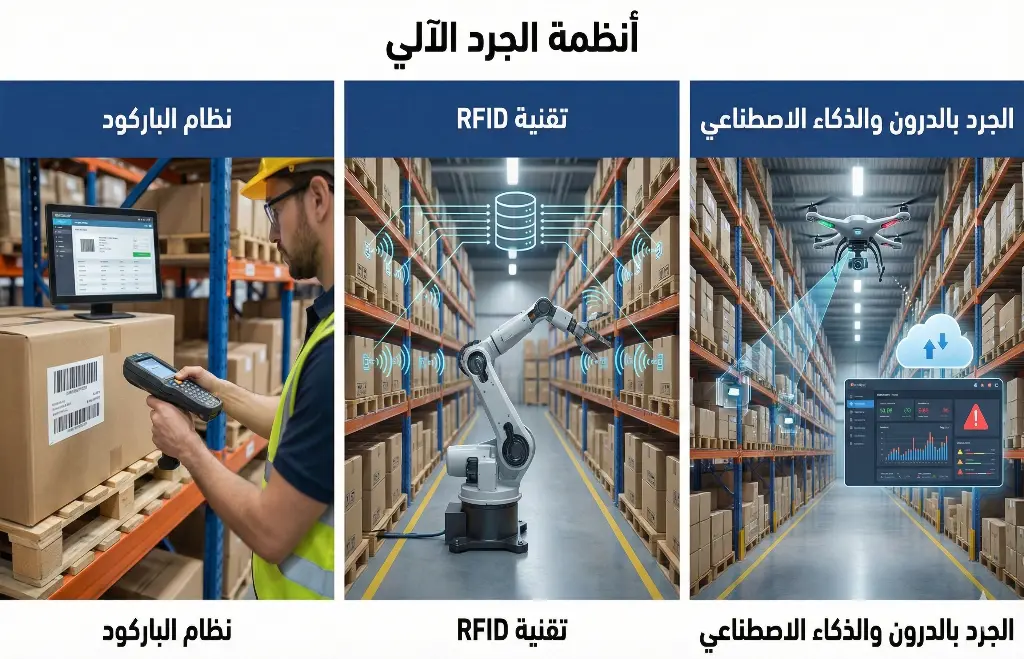
How does automated inventory work?
The system relies on a database of all your items, which is updated automatically with every “beep” the cashier device makes at the point of sale.
Modern inventory devices (data collectors / PDAs):
For fast, accurate stocktaking, businesses use PDA (personal digital assistant) devices.
What is a PDA? A device similar to a smartphone but equipped with a very powerful barcode reader and an operating system (usually Android).
What it does: an employee walks along the shelves scanning products, and the device matches the actual quantity on the shelf against the book quantity recorded in the software.
Advantages:
Theft and shortages are detected immediately.
Alerts when products are nearing their expiry date (important for pharmacies and supermarkets).
Surprise or partial counts of a specific section are possible without stopping work in the store.
Accounting software and integration with your point of sale (POS)
Buying the most expensive cashier hardware in the world won't help you if it isn't connected to accounting software that is just as powerful. The software is the “soul” that runs through this hardware.
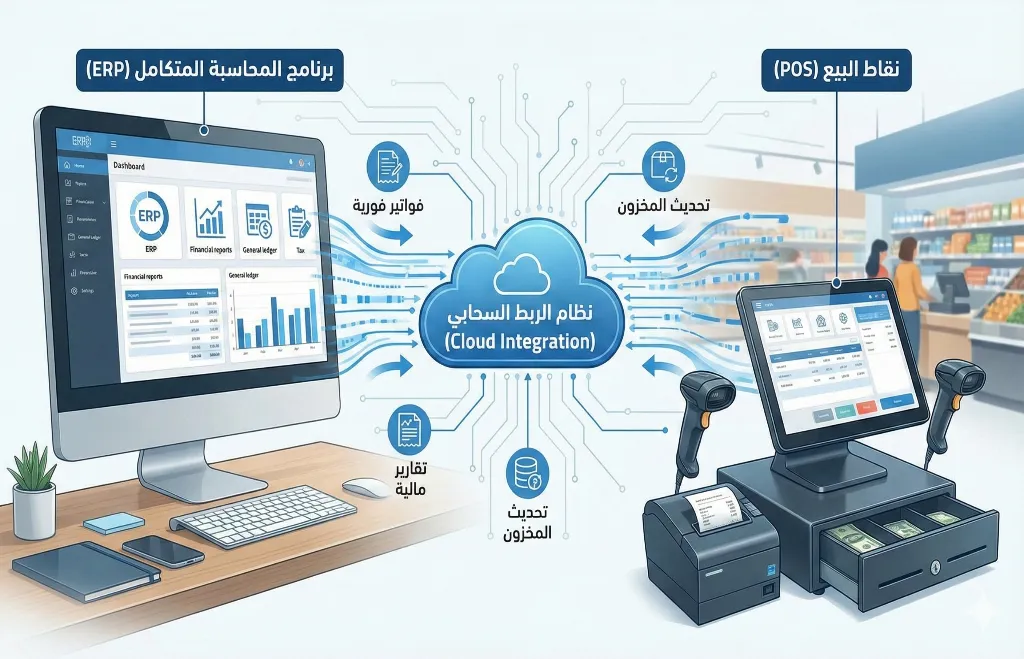
Why should you connect your cashier to your accounting software?
In older systems, the cashier was separate from the accounts. The cashier sold all day, and in the evening the accountant took the invoices and recorded them by hand in ledgers or an Excel file. This causes accounting disasters. The modern solution: integration. Every invoice issued at the cashier is instantly reflected in:
Inventory: the quantity is deducted.
The sales account: revenue increases.
Cash/bank: cash or the bank balance increases (if paid by card).
The tax account: VAT is calculated and recorded.
E-invoicing and tax compliance
In Saudi Arabia (as well as Egypt and many other countries), using cashier and accounting software approved by the tax authorities (such as the Zakat, Tax and Customs Authority, ZATCA) has become mandatory.
The software must support issuing an e-invoice with an encrypted QR code.
The software must prevent invoices from being tampered with or deleted after they are issued.
Cloud systems (cloud accounting): currently the best option, because they are updated automatically for any new tax laws without the need to buy new versions.
How do you choose a complete POS system for your business?
When you decide to buy, you'll find hundreds of offers. To avoid wasting your money, evaluate each system against these four criteria:
Hardware and software compatibility: make sure the cashier software you choose runs smoothly on the hardware you bought. The best solution is to buy a complete package from one provider to guarantee compatibility.
Ease of use: try the software before you buy. Can a cashier learn it in 15 minutes? Complicated software slows down lines and causes staff errors. Look for simple graphical interfaces that support Arabic.
After-sales service and technical support: cashier devices run all day, and a breakdown means your revenue stops. Choose a company that offers fast, genuine technical support (by phone or on-site visits).
Flexibility and the cloud: can you follow your sales from home on your phone? Cloud POS systems let you do that, so you don't have to be in the store all the time, and they protect your data from being lost if a computer breaks down.
Conclusion
Equipping your business with modern POS hardware and connecting it to automated inventory systems and advanced accounting software is not an expense; it is the most important investment you can make in your business.
This integrated system is what protects your money from theft, your goods from spoilage and your business from tax fines. Whether you run a pharmacy that demands extreme precision, a restaurant that demands top speed or a supermarket that demands durability, the smart choice is always an integrated solution that combines powerful hardware with intelligent software.
Get started with Kashierapp today by assessing your current setup, leaving traditional methods behind and moving into a world of automation and speed to secure your place ahead of the competition.
.webp)
POS Systems in Retail and Restaurants: A Key to Success
Point of sale in retail and restaurantsRetail and food service are vital sectors of the global economy: they provide income...
Read the article
What Is Kashierapp? Cloud Cashier Software and Its Key Features
Kashierapp cashier softwareCashier software (a point of sale (POS) system ) is one of the essential tools for managing sales...
Read the article
What Is Kashierapp? A Guide to POS and Cloud Point of Sale
A cashier system is no longer just a device for taking payments or printing receipts in a shop. Today, the...
Read the article
Restaurant Management Software in Saudi Arabia
There is no doubt that restaurant management software in Saudi Arabia is an important field with many aspects, as it...
Read the article
The Best Cloud Cashier Software in Saudi Arabia
With technology evolving so rapidly, traditional ways of running stores and businesses no longer work. Relying on technology has become...
Read the article
What Is a Cashier System? Types, Benefits and Kashierapp's Role
In modern commerce, a cashier system is no longer just a way to collect payments or print receipts; it has...
Read the article Riyadh - King Fahd Road - Al Yamamah Tower, 1st Floor - Office 102

