

Multi-Branch Management: Track Sales and Inventory in Real Time
Opening a new branch is a clear sign of success and proof that your brand is growing and earning customers' trust. But as soon as you move from running a single branch to multi-branch management, the rules of the game change completely. Manual management or reliance on disconnected systems quickly turns into an operational nightmare that threatens your profits and strains your budget. That is why business owners are always looking for the best cashier software for multiple branches to keep operations running smoothly.
The question every ambitious business owner asks at this stage is: how can I be everywhere at once? How do I make sure Branch A runs as efficiently as Branch B? The secret lies in centralization and choosing an advanced cloud cashier system.
What are the biggest challenges when expanding and linking store branches?
Before we talk about solutions, we need to understand the problems business owners face when trying to link store branches and restaurants:
Information blindness (late reports): relying on separate end-of-day closing reports gets in the way of tracking branch sales. You can't see what is selling right now or what is running out, so you can't make quick decisions.
Inventory chaos: one branch may suffer a severe shortage of a product while the same product piles up at another. Failing at inventory management across branches leads to guaranteed lost sales.
Inconsistent prices and promotions: it is very difficult to apply a discount or promotion and unify prices across all branches at the same moment unless you rely on a cloud cashier system that connects them all.
Difficulty supervising staff: as multi-branch management becomes more complex, the risk of tampering or human error grows if there is no system that defines permissions.
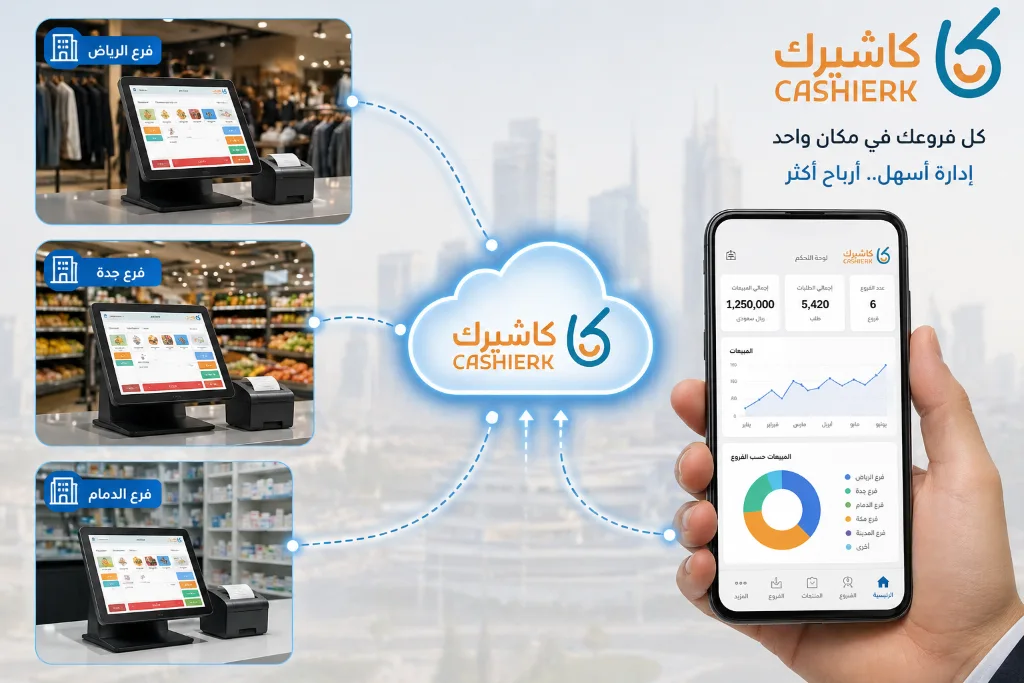
How does an ERP system for branch management solve the problems of expansion?
This is where it becomes important to move beyond a simple app to a fully integrated ERP system for branch management. Such a system lets you run your business empire from a single screen.
1. Real-time sync for easier branch sales tracking
Any strong cashier software for multiple branches should send the data for every invoice issued at any branch to the central servers instantly. This makes branch sales tracking accurate and immediate, so you know which branch sells the most and which employee is most active in each area.
To learn how you can use this data to increase your customers' basket size, see our previous article: [Cross-selling in retail: double your profits the smart way].
2. Professional inventory management across branches
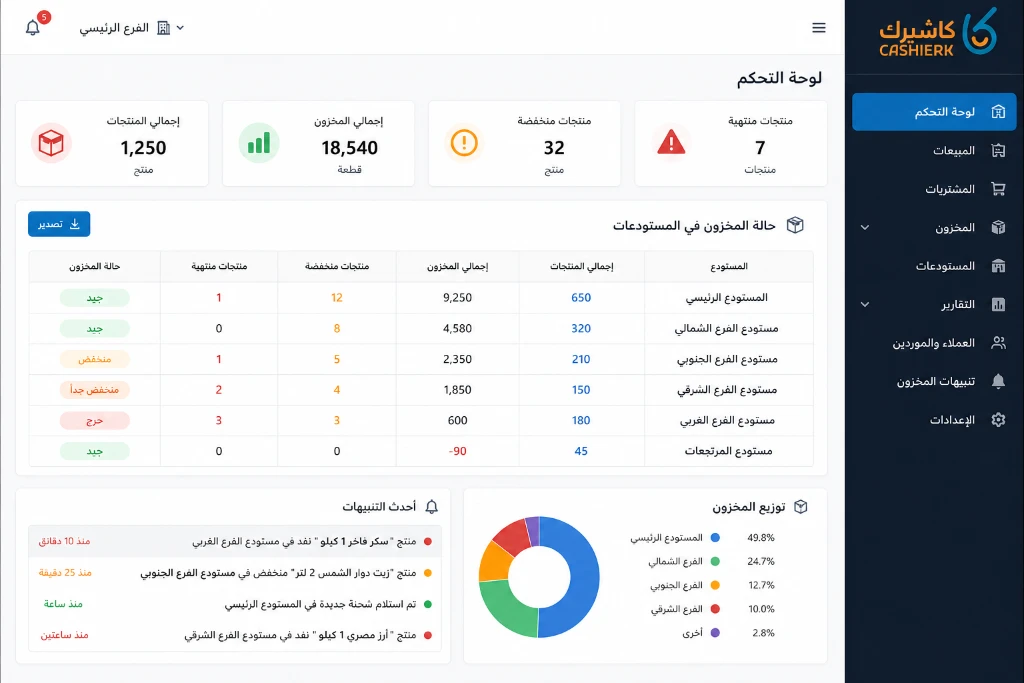
Inventory management across branches is the real nerve center of any expanding business. A professional system lets you:
Monitor stock quantities at each branch and the main warehouse.
Create stock transfer orders between your locations at the click of a button.
Make multi-branch management easier by setting minimum stock alerts so you never run out.
To make sure your branches get goods at the best prices, read our guide: [Supplier and purchasing management: how to build strong relationships and lower the cost of goods].
Practical steps for linking store branches successfully
If you are about to open new branches, follow these steps to make sure you start off right:
Standardize your data structure: make sure product names and barcode numbers are consistent, to make it easier to link store branches later.
Choose a reliable cloud infrastructure: the global trend now relies entirely on cloud systems (cloud computing) for their flexibility and lower costs, so make sure you invest in a stable cloud cashier system.
Train your staff: train branch managers to request out-of-stock items through the system instead of traditional methods, which always fail at multi-branch management.
Why is Kashierapp the best cashier software for multiple branches?
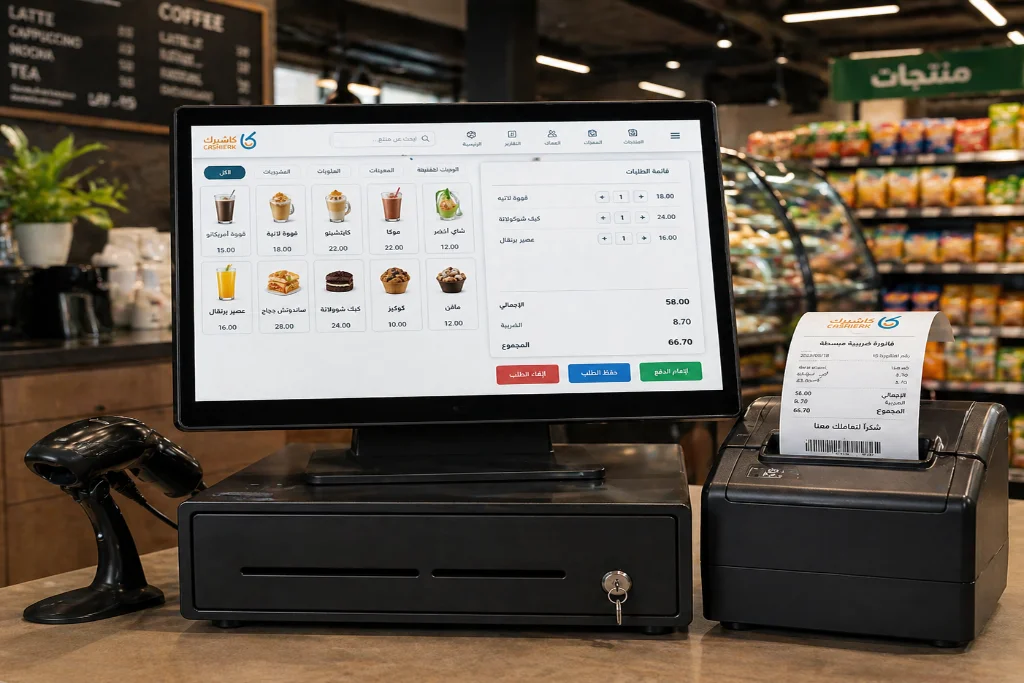
Many business owners make the mistake of buying an ordinary POS app and then trying to connect it to external accounting software, which creates data leakage problems. The big competitive advantage here is that Kashierapp is, at its core, a fully integrated branch management ERP system.
Kashierapp is not just a point of sale (POS) interface; it is a complete working environment that gives you:
Strong central management: a single dashboard to make linking store branches seamless.
Automatic journal entries: no need to transfer data to external programs, because Kashierapp posts entries in real time.
Advanced reports: detailed reports that make branch sales tracking easier and let you compare each branch's performance.
Tax compliance: full compliance with the requirements of the Zakat, Tax and Customs Authority (ZATCA).
❓ FAQ about multi-branch management
Can I track the performance of a newly opened branch without being there in person?
Absolutely. As soon as the point of sale at the new branch is set up and connected to the internet, all sales, returns and shift closings will appear on your central dashboard in real time, whether on your laptop or your smartphone.
What happens to branch data if the internet goes down at one of the branches?
Advanced systems like Kashierapp support offline mode. The cashier keeps working and issuing invoices to customers as normal so sales don't stop, and as soon as the internet is back, the system automatically syncs all pending data and transactions with the central server.
Can a branch manager change product prices for their branch only?
That depends on the permissions you give them. Through central management, you can allow a specific branch manager to change the prices of certain products or offer discounts up to a set percentage, or you can withhold that permission to keep prices consistent across all your brand's branches.
How are costs calculated when goods are transferred from one branch to another?
Because Kashierapp works as an ERP system, it handles internal transfer orders professionally. Goods are recorded as leaving the sending branch and arriving at the receiving branch, and the inventory cost is calculated accurately without being counted as a fictitious sale and purchase that would affect your tax reports, keeping your stocktaking and cost (food cost) reports accurate.
.webp)
POS Systems in Retail and Restaurants: A Key to Success
Point of sale in retail and restaurantsRetail and food service are vital sectors of the global economy: they provide income...
Read the article
What Is Kashierapp? Cloud Cashier Software and Its Key Features
Kashierapp cashier softwareCashier software (a point of sale (POS) system ) is one of the essential tools for managing sales...
Read the article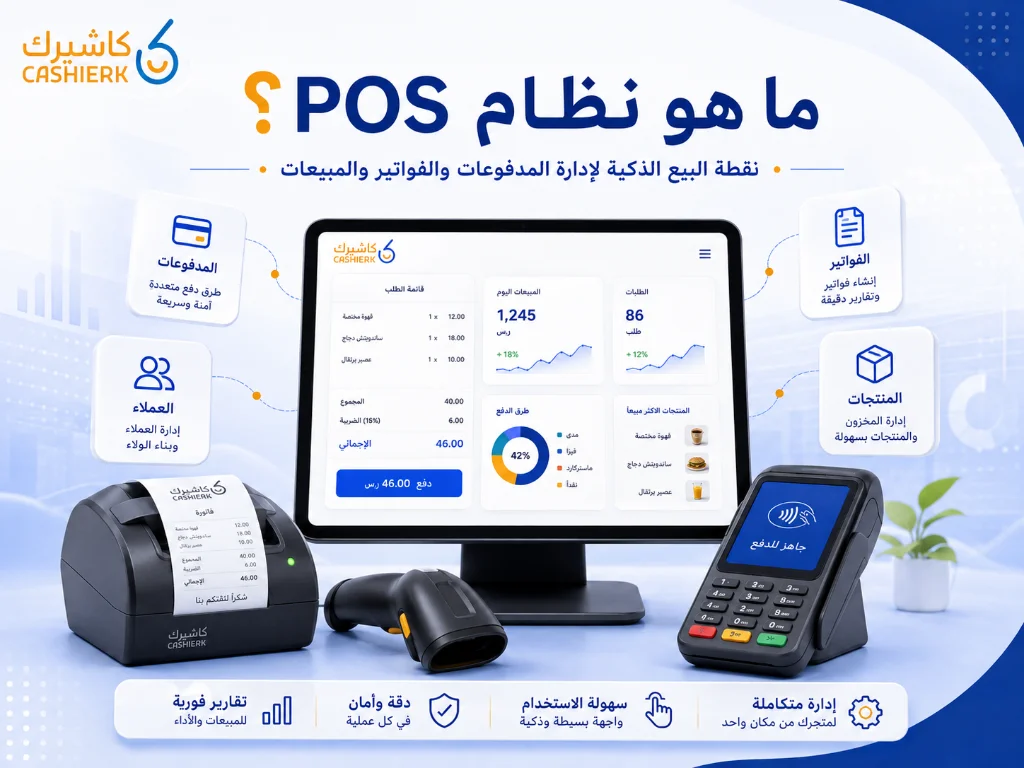
What Is Kashierapp? A Guide to POS and Cloud Point of Sale
A cashier system is no longer just a device for taking payments or printing receipts in a shop. Today, the...
Read the article
Restaurant Management Software in Saudi Arabia
There is no doubt that restaurant management software in Saudi Arabia is an important field with many aspects, as it...
Read the article
The Best Cloud Cashier Software in Saudi Arabia
With technology evolving so rapidly, traditional ways of running stores and businesses no longer work. Relying on technology has become...
Read the article
What Is a Cashier System? Types, Benefits and Kashierapp's Role
In modern commerce, a cashier system is no longer just a way to collect payments or print receipts; it has...
Read the article Riyadh - King Fahd Road - Al Yamamah Tower, 1st Floor - Office 102

