
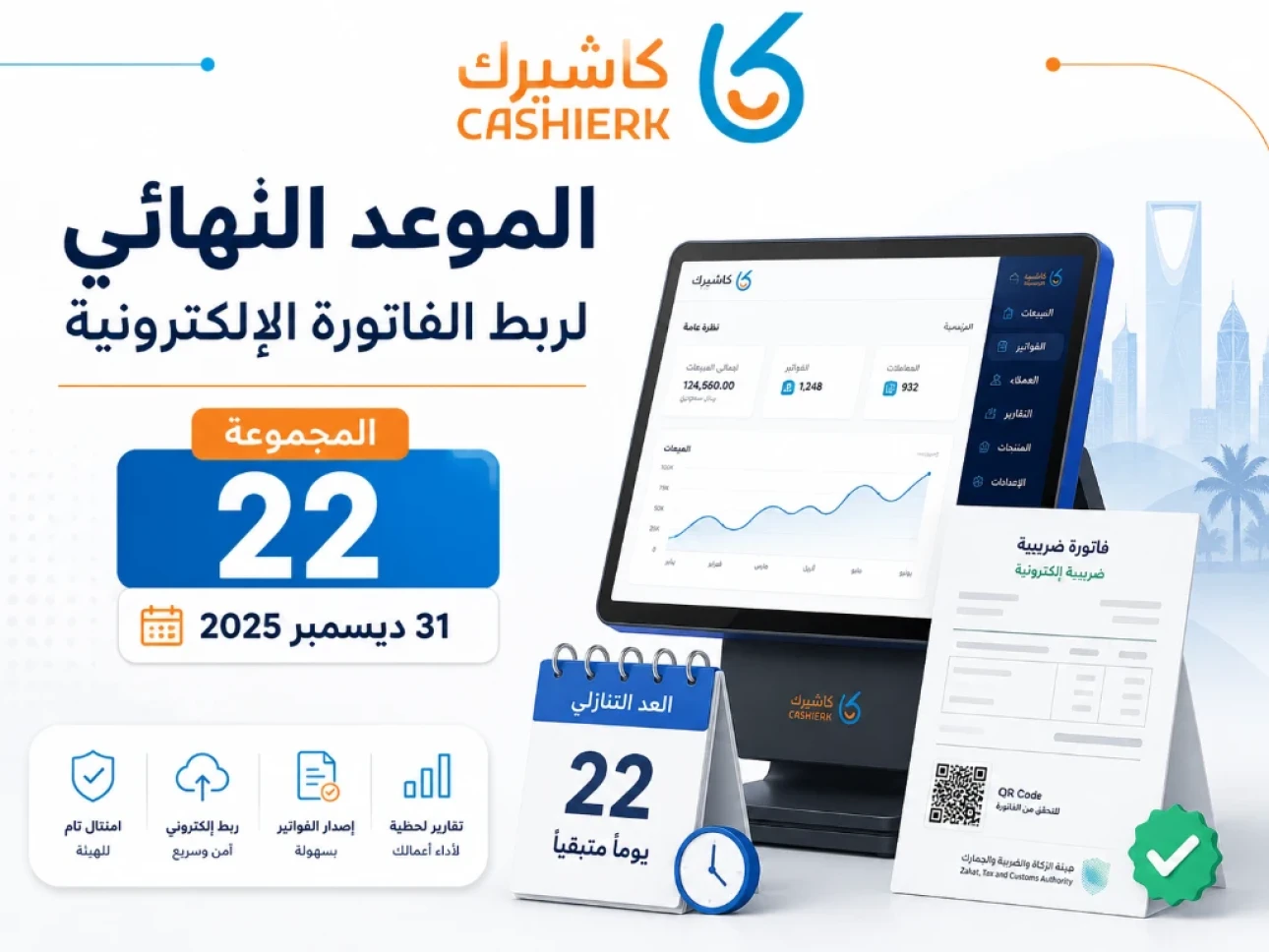
E-Invoicing Integration Deadline: What to Do If You Missed It
The Integration Phase of e-invoicing has become one of the most important operational and tax requirements for businesses in Saudi Arabia. It is no longer just about issuing an e-invoice from a sales or accounting program; it now means connecting your e-invoicing systems to the Fatoora system of the Zakat, Tax and Customs Authority (ZATCA) and issuing invoices in the specified formats and in line with the set requirements.
As ZATCA continues to roll out Phase 2 in successive waves, many businesses are asking: Is my business in one of the required waves? What should I do if I missed the deadline? Is ordinary invoicing software enough, or does my system need to be ready to connect to the Fatoora platform?
In this guide, updated for 2026, we explain the key integration deadlines, what the end of the Wave 22 deadline means, how to prepare for the next waves, and the practical steps that help you connect your e-invoices through Kashierapp before any operational or tax issues arise.
Table of contents
- What is the e-invoicing integration deadline?
- What is the difference between issuing e-invoices and connecting to Fatoora?
- What happened to Wave 22?
- The latest waves of the Integration Phase
- How do you know if your business is included?
- What should you do if you missed the integration deadline?
- What are the risks of ignoring integration?
- Why do some businesses fail to integrate?
- Steps to prepare your business to connect to the Fatoora platform
- How does Kashierapp help you connect with ZATCA?
- Pre-integration checklist
- Frequently asked questions about the e-invoicing integration deadline
What is the e-invoicing integration deadline?
The e-invoicing integration deadline is the date by which businesses included in a given wave must have connected their e-invoicing systems to ZATCA's Fatoora system.
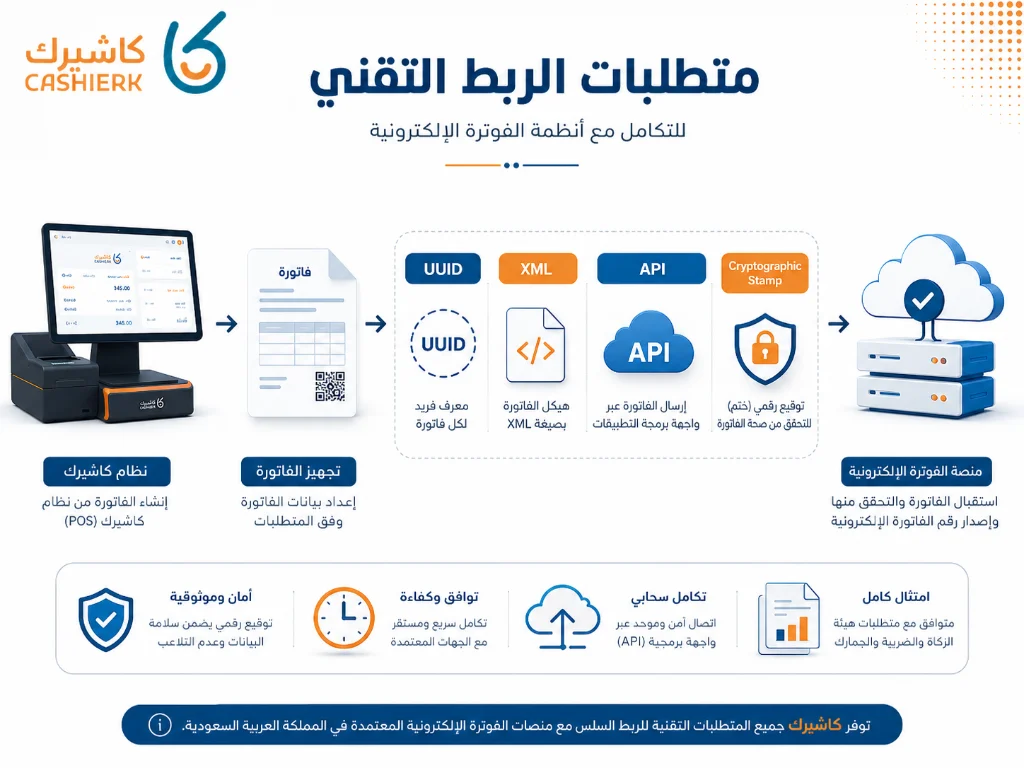
This deadline doesn't just mean your business uses software that issues e-invoices. It means the system you use is ready for the Phase 2 requirements, including:
- Connecting the e-invoicing system to the Fatoora platform.
- Issuing e-invoices in the specified format.
- Including the additional required fields and elements.
- Handling tax invoices and simplified invoices according to the type of transaction.
- Managing reporting or clearance in line with ZATCA's requirements.
- Maintaining invoice sequencing and data integrity.
So if your business is in one of the Integration Phase waves, relying on manual invoices, Excel files or an old system that isn't ready for integration is not enough.
What is the difference between issuing e-invoices and connecting to Fatoora?
Many business owners confuse Phase 1 and Phase 2 of e-invoicing.
In Phase 1, the focus was on issuing and storing invoices electronically through a compliant technical solution, and on ending handwritten invoices or invoices created in word processors or spreadsheets.
Phase 2, the Integration Phase, adds greater technical and operational requirements, the most important being connecting e-invoicing systems to ZATCA's Fatoora platform.
In simpler terms:
- Issuing e-invoices means you have a system that issues an electronic invoice instead of a handwritten one.
- Connecting to Fatoora means your system is integrated with ZATCA according to the Phase 2 requirements.
This difference matters a great deal, because some businesses think they are ready just because they print an e-invoice, when in reality their system may not qualify for the Integration Phase.
What happened to Wave 22?
Wave 22 was one of the key waves of the Integration Phase because it targeted relatively small and medium-sized businesses compared with the early waves.
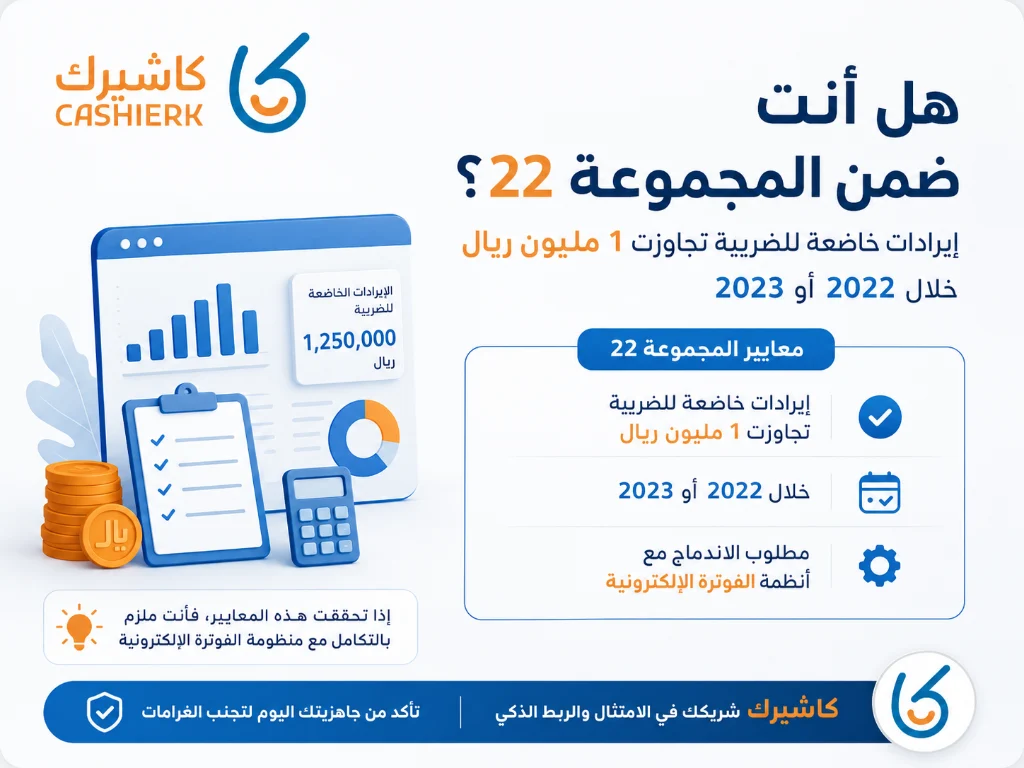
Wave 22 covered businesses whose VAT-taxable revenue exceeded SAR 1 million in any of the following years:
- 2022
- 2023
- 2024
Businesses in this wave were required to integrate their e-invoicing systems with the Fatoora system before December 31, 2025.
Since that deadline has now passed, if you are in Wave 22 and haven’t completed integration, you need to review your situation immediately and get your system ready without delay.
The latest waves of the Integration Phase
ZATCA applies the Integration Phase gradually, in waves, and target businesses are notified well before their integration date.
Here are the latest waves and their integration deadlines:
| Wave | VAT-taxable revenue threshold | Years considered | Integration deadline |
|---|---|---|---|
| Wave 22 | Over SAR 1,000,000 | 2022, 2023 or 2024 | Before December 31, 2025 |
| Wave 23 | Over SAR 750,000 | 2022, 2023 or 2024 | Before March 31, 2026 |
| Wave 24 | Over SAR 375,000 | 2022, 2023 or 2024 | Before June 30, 2026 |
| Wave 25 | Over SAR 187,500 | 2022, 2023, 2024 or 2025 | Starting February 1, 2027 |
These dates mean the Integration Phase now reaches a much wider range of businesses, not just large companies. So even if your business isn't in Wave 22, it is important to prepare your system early instead of waiting for the mandatory date.
How do you know if your business is included?
To find out whether your business falls under one of the Integration Phase waves, review these points:
- Is your business registered for VAT?
- What was your VAT-taxable revenue during the specified years?
- Have you received a message or notification from ZATCA about the Integration Phase?
- Does your invoicing or cashier system support connecting to the Fatoora platform?
- Do you have more than one branch or more than one cashier device that needs to be set up?
- Are your current invoices issued in a format that meets Phase 2 requirements?
If your revenue is close to one of the wave thresholds, don't wait for the notification to start preparing. Integration requires reviewing your business details, system, devices and invoice settings, and testing before going live.
What should you do if you missed the integration deadline?
If you are in one of the waves whose deadline has passed and you haven't completed integration, don't put off fixing it. The most important thing is to act quickly and in an organized way.
Start with these steps:
- Review ZATCA's notifications for your business.
- Confirm which wave you belong to.
- Review your current invoicing system and whether it supports connecting to the Fatoora platform.
- Count your branches and your cashier devices or EGS units (e-invoice generation solution units).
- Prepare your business details: VAT registration number, commercial registration, national address and branch details.
- Use a system that can connect in line with e-invoicing requirements.
- Test the integration before relying on the system for daily operations.
- Monitor invoice status after integration to make sure there are no recurring errors.
The key is not to treat the delay with a “we'll wait until a problem shows up” mindset. It is better to start fixing the situation early to reduce the risk of outages, rejected invoices or operational confusion.
What are the risks of ignoring integration?
Ignoring integration can lead to operational and tax problems, especially if your business is in a wave that has been notified of its integration date.
Key risks include:
- Issuing invoices that don't meet Phase 2 requirements.
- Using a system that can't integrate with the Fatoora platform.
- Errors in invoice data or issuing format.
- Disrupted sales if you change systems late.
- Difficulty reviewing invoices and reports as transaction volumes grow.
- A higher chance of errors when relying on manual entry.
- Having to migrate data or change systems under time pressure.
Integration is not a formality; it is part of how your business runs every day. Treat it as an operational readiness project, not just a temporary technical task.
Why do some businesses fail to integrate?
Some businesses fail or fall behind in integration for recurring reasons that can be avoided with early planning.
1. Relying on old software
Some old programs can issue an invoice but don't support Integration Phase requirements or don't work properly with the Fatoora platform.
2. Not preparing business data
Any error in the VAT registration number, commercial registration, address or branch details can delay integration.
3. Not connecting every device
If you have more than one cashier device or more than one branch, you may need to set up each unit, depending on how the system is configured.
4. Generating an OTP before the system is ready
An OTP is valid for a limited time, so only generate it when you are ready to enter it into the system and complete the setup.
5. Not testing the integration
Relying on the system straight away without testing can lead to errors at the point of sale, especially in high-volume businesses such as restaurants and stores.
6. Choosing an invoicing system separate from the point of sale
If you sell directly every day, separating your invoicing software from your point of sale can lead to duplicate data entry and more errors.
Steps to prepare your business to connect to the Fatoora platform
To prepare your business to connect to the Fatoora platform, follow this practical plan:
Step 1: Review your regulatory status
Determine whether you are in one of the target waves, whether you have received a notification from ZATCA, and what your required integration date is.
Step 2: Review your current system
Ask your current system provider: Does it support the Integration Phase? Has it been tested? Can it handle tax invoices and simplified invoices? Does it support reporting and clearance?
Step 3: Prepare your business data
Prepare your VAT registration number, commercial registration (CR), national address, branch details, and the names of the devices or points of sale that will be set up.
Step 4: Set up devices or EGS units
Determine how many devices or EGS units you need. Each point of sale or device may need to be set up and connected, depending on how the system works.
Step 5: Generate the OTP when you are ready
Only generate the OTP when you are ready to enter it into the system, so it doesn't expire before integration is complete.
Step 6: Test invoice issuing
After integration, test issuing invoices, and make sure the data appears correctly and the system handles each invoice according to its type.
Step 7: Train your team
Make sure employees know how to issue invoices after integration and how to handle returns, credit and debit notes, or errors.
How does Kashierapp help you connect with ZATCA?
Kashierapp makes it simpler to connect in line with e-invoicing requirements because it doesn't just issue invoices; it brings together your point of sale, e-invoices, inventory, reports, branches and daily operations.
1. A ready system for managing invoices from the point of sale
Instead of using invoicing software that is separate from your cashier, you can issue invoices within your daily sales cycle, which reduces manual entry and links each invoice to your sales and reports.
2. Support for multi-branch businesses
If you have more than one branch or point of sale, Kashierapp helps you manage branches, cash registers and reports from a single platform.
3. Managing tax and simplified invoices
The system helps you meet invoice requirements based on the type of customer and transaction, whether it's a simplified invoice or a tax invoice.
4. Reports that help you keep track
With reports, you can track sales, invoices and performance instead of relying on scattered manual reviews.
5. Less technical complexity
Connecting to the Fatoora platform involves technical details such as OTPs, device setup and the production environment. A clear system and a support team help you complete the steps without getting into tiring programming details.
You can start from the Kashierapp invoicing software page, or explore the smart POS system.
Do I need ZATCA-approved software?
It is more accurate to look for a system that is compliant with e-invoicing requirements, rather than one that is simply labeled “approved.” ZATCA's list of e-invoicing solution providers is for guidance only; what matters is that the system you use complies with e-invoicing requirements.
So when choosing a system, ask the following questions:
- Does it support Phase 2 requirements?
- Can it connect to the Fatoora platform?
- Does it support tax invoices and simplified invoices?
- Does it support reporting and clearance?
- Does it support multiple branches and devices?
- Does it provide technical support during integration?
- Does it reduce manual entry or increase it?
- Does it suit the day-to-day nature of your business?
Pre-integration checklist
Before you start integration, make sure that:
- Your VAT registration number is correct and matches your registration certificate.
- Your commercial registration details are up to date.
- Your national address is ready.
- Your branch and point of sale details are clear.
- The system you use supports e-invoicing.
- The system can connect to the Fatoora platform.
- You have determined the number of devices or EGS units.
- The user or authorized representative details are ready.
- Your team knows how to issue invoices after integration.
- Technical support is available if errors appear.
- The integration has been tested before you rely on the system fully.
This checklist reduces the chance of disruptions during operations and helps you move to integration more safely.
Frequently asked questions about the e-invoicing integration deadline
Has the Wave 22 deadline passed?
Yes. The Wave 22 integration deadline was December 31, 2025, and it covered businesses whose VAT-taxable revenue exceeded SAR 1 million in 2022, 2023 or 2024.
If I missed the integration deadline, what should I do?
Start right away by reviewing ZATCA's notifications, check that your invoicing or cashier system is ready, prepare your business and branch details, then begin integration through a system that complies with e-invoicing requirements.
Is Wave 23 different from Wave 22?
Yes. Wave 23 targeted businesses whose VAT-taxable revenue exceeded SAR 750,000 in 2022, 2023 or 2024, with an integration deadline of March 31, 2026.
What is the threshold for Wave 24?
Wave 24 covered businesses whose VAT-taxable revenue exceeded SAR 375,000 in 2022, 2023 or 2024, with an integration deadline of June 30, 2026.
What is the threshold for Wave 25?
Wave 25 covers businesses whose VAT-taxable revenue exceeded SAR 187,500 in 2022, 2023, 2024 or 2025, with integration starting on February 1, 2027.
Can I use any invoicing software?
You can use any electronic system as long as it complies with e-invoicing requirements. What matters is that the system can issue invoices in the required formats and connect to the Fatoora platform when your business enters the Integration Phase.
Does Kashierapp help with connecting to Fatoora?
Yes. Kashierapp helps businesses manage e-invoices, points of sale, reports and branches from a single platform, while supporting the integration requirements and daily operations of businesses in Saudi Arabia.
Should I wait until I get a message from ZATCA?
Don't wait until the last minute. ZATCA does notify target waves before their integration date, but preparing early reduces pressure and gives you time to test the system and train your team.
Start integrating before problems appear
If your business is in a wave whose deadline has passed, or you expect to be included in an upcoming wave, now is the right time to prepare. The earlier you start, the lower the risk of disruptions or errors when issuing invoices.
With Kashierapp, you can manage e-invoices, points of sale, inventory, branches and reports from a single platform, reducing your reliance on separate systems and improving your business's readiness for e-invoicing requirements.
Get started now by contacting the Kashierapp team
and choose the right solution for your business before your integration deadline.
.webp)
E-Invoicing in Saudi Arabia: A Complete Guide for Your Business
Table of contents What is an e-invoice?Why e-invoicing matters for Saudi Arabia and for businesses Types of e-invoices What are the elements of...
Read the article
ZATCA E-Invoicing Phase 2: The Complete Guide for Businesses
The complete guide: your safe path to Phase 2 of e-invoicing in Saudi Arabia (2025)Feeling anxious about terms like “integration,”...
Read the article.webp)
E-Invoicing Financial Support for SMEs in Saudi Arabia
In this article, we discuss the details of e-invoicing financial support and look at how to make better use of...
Read the article
Saudi Tax Invoice: The Complete 2025 Guide
Key takeawaysWhat a Saudi tax invoice is and why it mattersVAT requirements in Saudi ArabiaHow to issue e-invoices step by...
Read the article
ZATCA E-Invoicing Phase 2 Guide: Integration Phase 2025
What is Phase 2 of e-invoicing?Phase 2 of e-invoicing is an advanced step toward digitizing financial transactions and invoices in...
Read the article
Best E-Invoicing Software in Saudi Arabia 2026: How to Choose
As e-invoicing continues to roll out in Saudi Arabia and the Integration phase with the Zakat, Tax and Customs Authority...
Read the article Riyadh - King Fahd Road - Al Yamamah Tower, 1st Floor - Office 102

