
Cashier Software Prices in Saudi Arabia: How to Choose the Right System for Your Budget
Cashier software prices in Saudi Arabia vary depending on the type of system, subscription plan, number of users, connected devices, and business management features included.
A small retail shop may only need a simple system to record sales and issue invoices. A restaurant, supermarket, or multi-branch business may require more advanced tools for inventory management, accounting, order processing, and performance reporting.
That is why choosing a cashier system based on its subscription price alone can be misleading. The actual cost may include hardware, installation, integrations, technical support, and future upgrades.
In this guide, we explain what determines cashier software costs in Saudi Arabia, compare free and paid systems, review actual subscription prices, and show you how to select a solution that fits your business needs and budget.
What Is Cashier Software?
Cashier software is a digital system used to record sales transactions, calculate purchase totals, issue invoices, and manage payments.
Modern cashier systems offer much more than traditional cash registers. Depending on their features, they can also help businesses monitor inventory, manage customers, track expenses, and generate sales reports.
The term Point of Sale (POS) system is commonly used to describe the combination of software, hardware, and processes involved in completing customer transactions.
For example, a modern smart POS system can connect sales, electronic invoicing, inventory, and reporting through a centralized platform.
Understanding these capabilities is important because the features included in a POS system directly influence its price.
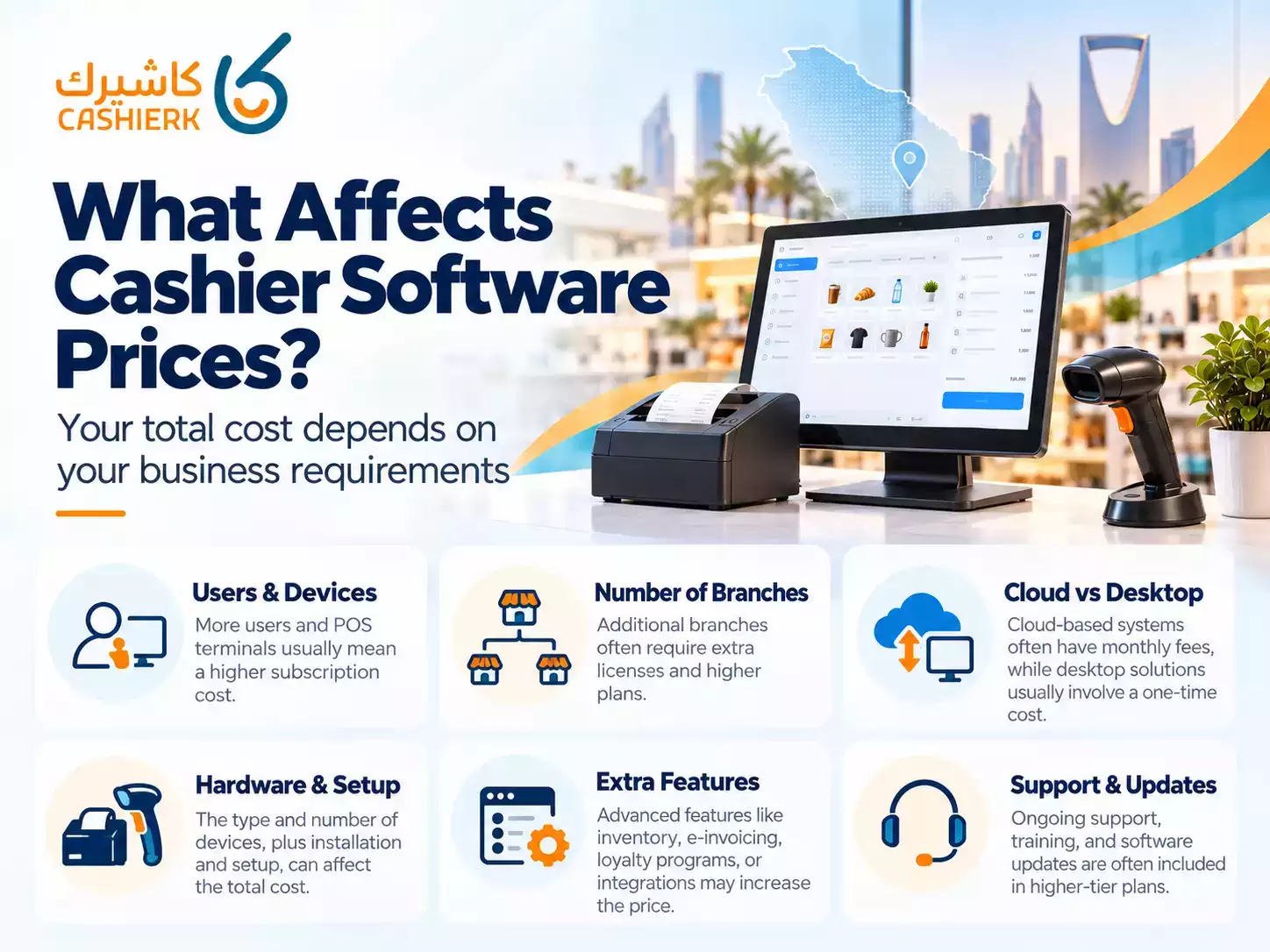
What Factors Affect Cashier Software Prices?
There is no single price that applies to every business. Cashier software costs depend on several operational and technical requirements.
1. Number of Users and Devices
Some subscription plans support only one user and one POS device, while others allow multiple employees and checkout terminals.
A small store operated by its owner may need just one cashier device. However, a supermarket with several checkout counters requires a system capable of handling simultaneous transactions.
Before subscribing, check whether the advertised price covers all users and devices or whether additional licenses are required.
2. Number of Business Locations
Businesses operating from one location generally have simpler management requirements than companies with multiple branches.
As a business expands, it may need centralized inventory control, branch-level sales reports, employee permissions, and consolidated financial data.
These requirements can affect POS system pricing.
If you expect to open additional locations, evaluate whether your chosen software supports multi-branch management and how expansion affects subscription costs.
3. Cloud Subscription or Software License
Cloud-based cashier systems commonly use monthly or annual subscription models.
These subscriptions may include software access, updates, cloud services, and technical support, depending on the provider and selected plan.
Traditional desktop systems may instead use a one-time licensing model, although additional charges can apply for upgrades, maintenance, or technical support.
Neither pricing model is automatically cheaper.
A meaningful comparison should consider the total cost of operating the system over several years.
4. Additional Features and Integrations
The functionality included in a subscription can significantly influence the price.
Common examples include:
Inventory and warehouse management.
Accounting and financial reporting.
Customer loyalty programs.
Employee permissions and commissions.
Electronic invoicing.
Integration with online stores and external applications.
Centralized management of multiple branches.
Before choosing a subscription, confirm which features are included in your specific plan.
A software provider may advertise advanced capabilities that are only available in higher subscription tiers.
Free vs. Paid Cashier Software: Which Is Better?
Free cashier software can be suitable for basic operations, product demonstrations, or small businesses with limited requirements.
However, free solutions may restrict the number of users, products, transactions, or available integrations.
Paid systems generally offer different subscription levels, allowing businesses to select features according to their operational needs.
| Comparison | Free Cashier Software | Paid Cashier Software |
|---|---|---|
| Initial cost | Usually free or limited | Subscription or license |
| Users and devices | May be restricted | Depends on the plan |
| Inventory management | Varies by provider | Often offers more options |
| Technical support | May be limited | Depends on the agreement |
| Integrations | May be restricted | Depends on the plan |
| Advanced reporting | May be limited | Available in selected plans |
| E-invoicing compliance | Must be verified | Must be verified |
The most important consideration is not whether the system is free or paid, but whether it meets your business requirements.
In Saudi Arabia, businesses subject to electronic invoicing regulations must also ensure that their invoicing solutions meet the applicable requirements of the Zakat, Tax and Customs Authority (ZATCA).
A paid subscription does not automatically guarantee compliance, and a free system should not be assumed to meet regulatory requirements without verification.
How Much Does Cashier Software Cost for Retail Shops?
The cost of cashier software for shops depends largely on the number of products, employees, checkout devices, and inventory management requirements.
For example, a small clothing store may need barcode scanning, sales invoicing, discounts, and basic inventory reports.
A supermarket may require several checkout counters, barcode scanners, weighing-scale integration, more extensive product management, and consolidated sales reporting.
When comparing software for retail businesses, consider the following questions:
-
How many products will the system manage?
How many employees need access?
How many checkout counters are required?
Does the business need barcode and inventory management?
Can the software handle returns and refunds?
Will the system support additional branches in the future?
You should also check whether your existing computers or POS devices are compatible with the selected software.
Reusing compatible equipment may reduce the initial investment.
For a closer look at retail-specific functionality, explore Kashierapp's retail POS software.
How Do Restaurant POS Costs Differ from Retail Systems?
Restaurants and cafés often require additional operational tools that are not essential for every retail shop.
These can include table management, kitchen displays, menu customization, order modifications, split billing, and delivery order handling.
A restaurant POS system may also connect sales to ingredient inventory, making it easier to monitor stock consumption.
The overall cost may therefore depend on the number of order-taking devices, kitchen screens, receipt printers, and required integrations.
Before comparing subscription prices, determine whether the system includes:
Table and order management.
Kitchen display functionality.
Digital menu capabilities.
Inventory tracking for ingredients.
Payment and invoice management.
Delivery platform integrations, where needed.
A restaurant should also evaluate the costs of configuring menus, training employees, and installing additional hardware.
You can review these capabilities through Kashierapp's restaurant and café POS solution.
Is Cloud POS Software Cheaper Than Desktop Cashier Software?
Cloud POS pricing is often based on recurring subscriptions, while some desktop cashier programs use one-time software licenses.
However, the initial payment does not reveal the total cost of ownership.
Cloud systems may provide remote access, centrally managed updates, and easier access to information across different locations, depending on their design.
Desktop systems may be suitable for businesses with specific local operating requirements, but they can involve separate responsibilities for backups, updates, maintenance, and infrastructure.
The better option depends on your business needs.
Before deciding, evaluate:
Subscription or licensing fees.
Hardware compatibility.
Data backup and recovery.
Internet connectivity requirements.
Offline operating capabilities.
Technical support arrangements.
Upgrade costs.
Data export and migration options.
For businesses with unreliable internet connections, it is particularly important to confirm whether the software supports offline sales and how transactions are synchronized after connectivity returns.
Instead of comparing only the first month's payment, calculate the expected cost over two or three years.
Does the Price Include Inventory, Invoicing, and Accounting?
Not all cashier software subscriptions include the same management features.
Some provide basic sales and invoicing, while others offer integrated inventory and accounting capabilities.
Inventory Management
If your business manages physical products, cashier software with inventory features can help track stock quantities, purchases, returns, and product availability.
More advanced solutions may include warehouse management, inventory transfers, stocktaking, and low-stock notifications.
Learn more about these capabilities through smart inventory management software.
Electronic Invoicing
Electronic invoicing is particularly important for businesses operating in Saudi Arabia.
ZATCA introduced electronic invoicing through two implementation phases:
Phase One – Generation Phase: Implemented on December 4, 2021, requiring taxpayers subject to the regulations to generate and store electronic invoices using compliant solutions.
Phase Two – Integration Phase: Implemented progressively from January 1, 2023, requiring targeted taxpayers to integrate their electronic invoicing solutions with ZATCA's Fatoora platform according to applicable requirements.
Businesses should verify which requirements apply to them and whether their chosen subscription includes the necessary functionality.
For more information, consult the official ZATCA electronic invoicing guidance or review Kashierapp's e-invoicing solution.
Accounting Features
Sales reporting and accounting functionality are not necessarily the same.
A system that displays daily revenue may not provide journal entries, a chart of accounts, income statements, or balance sheets.
If your company needs financial accounting capabilities, check whether they are included in the subscription or require a higher plan.
You can also explore the differences through Kashierapp accounting software.
Hidden Costs to Consider Before Buying a POS System
When evaluating cashier software prices, it is important to look beyond the advertised subscription fee.
Additional expenses may include:
POS hardware: Receipt printers, barcode scanners, cash drawers, tablets, computers, or specialized POS terminals.
Installation and configuration: Setting up products, users, taxes, invoice templates, and system permissions.
Data migration: Transferring product lists, customer information, or historical records from an existing system.
Third-party integrations: Connecting accounting platforms, online stores, payment solutions, or external applications.
Training: Helping employees understand how to use the software effectively.
Additional users or branches: Increasing the number of supported devices, accounts, or business locations.
Technical support and upgrades: Services that may or may not be included in the subscription.
Payment processing fees:
Transaction charges that may apply independently of the cashier software subscription.
VAT: Confirming whether advertised prices include Saudi value-added tax.
A written quotation should clearly identify what is included and what requires an additional payment.
This makes it easier to compare competing solutions accurately.
How to Choose the Right Cashier Software for Your Budget
Choosing the right system starts with understanding your current operating requirements and estimating how they may change.
A low-cost subscription can be sufficient for a small operation, while a growing business may benefit from a more comprehensive system.
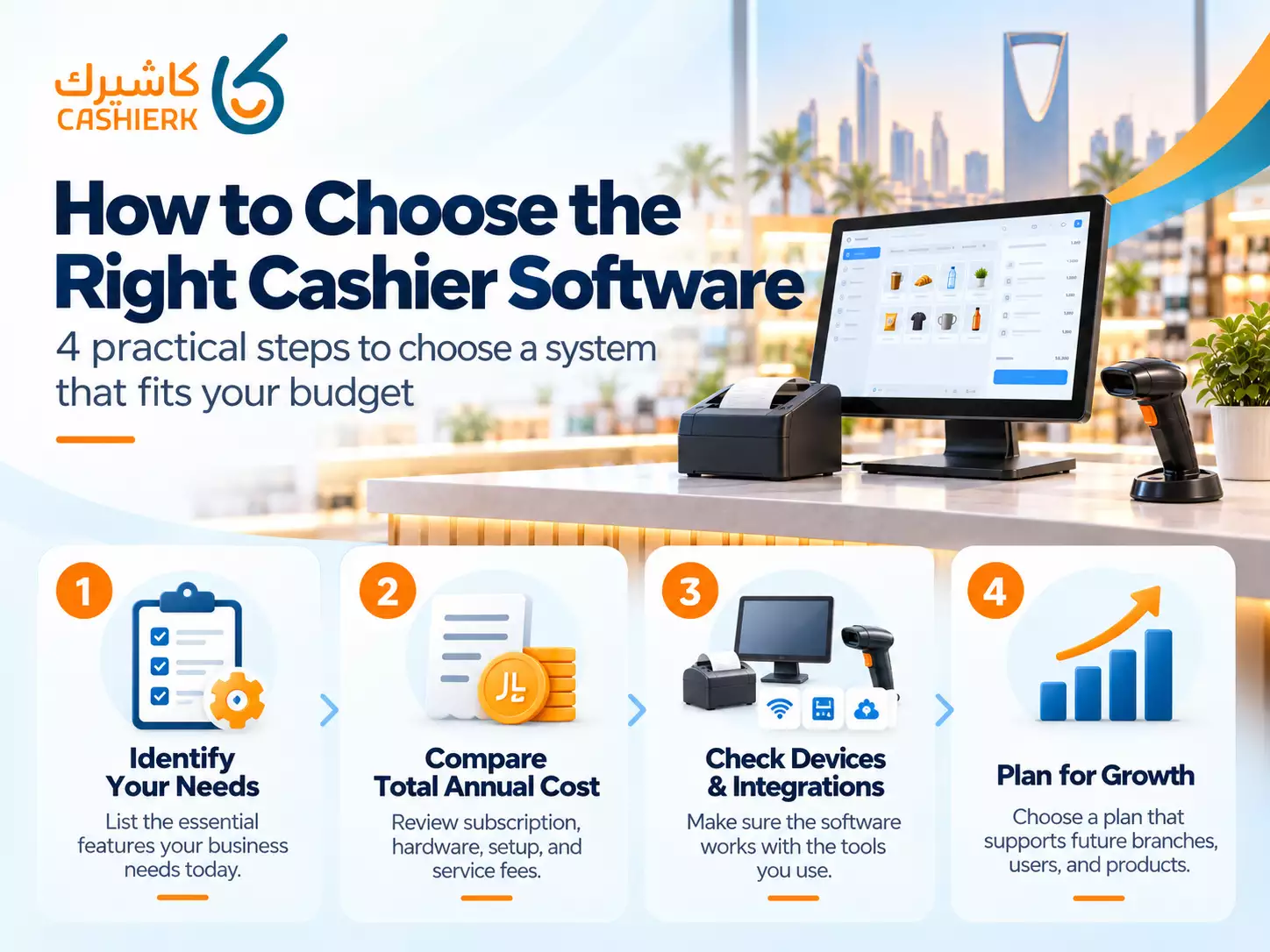
Step 1: Identify Your Essential Features
Start by listing the functions your business needs immediately.
These may include invoicing, inventory, reporting, barcode scanning, or managing multiple employees.
Separate essential features from those that would be useful but are not currently required.
This prevents you from paying for functionality you do not need.
Step 2: Calculate the Total Annual Cost
Use the following formula to estimate your first-year budget:
Total first-year cost = Annual software subscription + Hardware + Setup and training + Integrations + Additional service fees.
Add VAT where applicable to prices that exclude tax. Do not add it again when the quoted amount already includes VAT.
For a longer-term comparison, include recurring costs for each year and identify any one-time setup expenses.
Step 3: Compare Actual Cashier Software Subscription Prices
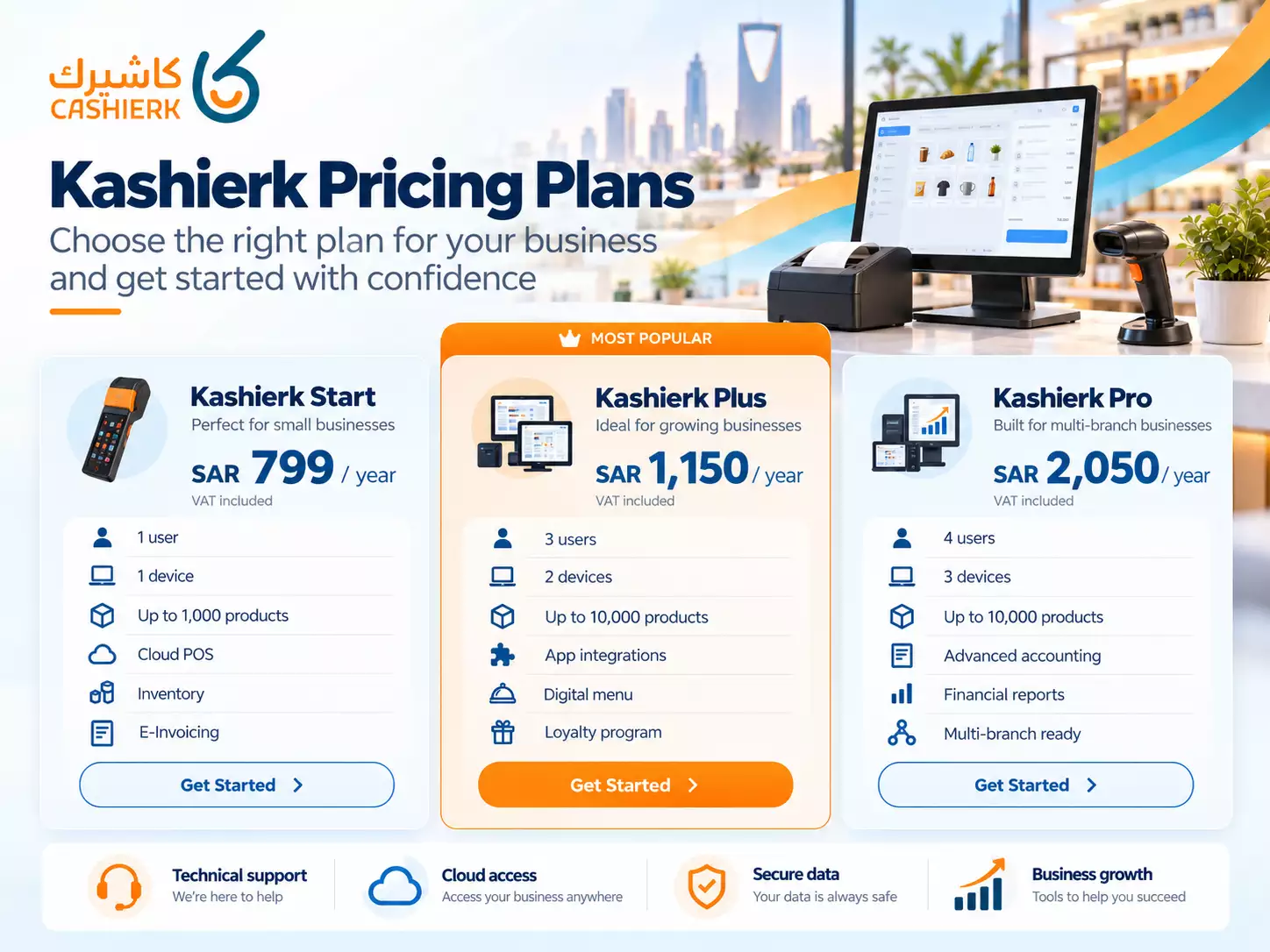
To illustrate how subscription plans differ, consider the annual prices published by Kashierapp in Saudi Arabia.
According to its official pricing page, reviewed on October 15, 2026:
| Kashierapp Plan | Annual Price | Users | Devices | Product Limit |
|---|---|---|---|---|
| Kashierapp Start | SAR 799 | 1 | 1 | 1,000 |
| Kashierapp Plus | SAR 1,150 | 3 | 2 | 10,000 |
| Kashierapp Pro | SAR 2,050 | 4 | 3 | 10,000 |
All three listed prices include VAT.
These prices are examples from a single software provider, not an estimate of average POS software prices across the Saudi market. Prices and promotional offers may change.
The plans also differ in their management and accounting capabilities.
Kashierapp Start includes core cloud POS features, e-invoicing, customer management, inventory, purchasing, reporting, and support for one user and one device.
Kashierapp Plus expands the supported users and devices and lists additional features, including app integrations, a digital menu, customer loyalty, simplified accounting, and Phase Two e-invoicing integration.
Kashierapp Pro adds broader financial accounting capabilities, including a chart of accounts, journal entries, and financial reports, along with support for more users and devices.
Businesses should evaluate these differences rather than choosing a subscription based on price alone.
For current information, visit the official Kashierapp pricing and subscription plans.
Step 4: Check Hardware Compatibility and Support
Before purchasing, confirm that the software works with the devices your business intends to use.
Ask whether your existing receipt printer, barcode scanner, computer, or tablet is supported.
You should also review the technical support policy, employee training requirements, and procedures for resolving operational issues.
Step 5: Plan for Business Growth
Your business requirements may change as sales increase or new branches open.
Check whether the software can accommodate additional employees, products, devices, and locations.
Also review the upgrade process and whether moving to a higher subscription tier requires major configuration changes.
Choosing a system with suitable expansion options may reduce the cost and inconvenience of switching providers later.
When Can Cheaper Cashier Software Become More Expensive?
The lowest advertised price does not always represent the lowest long-term cost.
For example, a business may subscribe to a basic cashier system and later discover that inventory management, accounting, or multi-branch reporting requires separate applications.
Managing multiple disconnected systems can increase administrative work and create additional subscription expenses.
Switching providers can also involve employee retraining, data migration, and operational disruption.
However, purchasing the most expensive plan is not necessarily the right decision either.
The goal is to find a balance between affordability, functionality, reliability, and future requirements.
A practical approach is to compare the total cost of ownership, the functions included in each package, and the likely cost of expanding the system as the business grows.
Frequently Asked Questions About Cashier Software Prices
How much does cashier software cost in Saudi Arabia?
Prices vary depending on the provider, subscription model, supported devices, users, and included features. As one published example, Kashierapp lists annual subscriptions starting at SAR 799 including VAT, based on its pricing page reviewed on October 15, 2026. This is not a market-wide starting price.
Is there free cashier software for small businesses?
Yes, some providers offer free or limited software plans. However, businesses should check restrictions on users, products, invoicing, integrations, and technical support before relying on them for daily operations.
Can I use cashier software without buying a dedicated POS machine?
Some cashier systems run on compatible computers, tablets, or smartphones. Additional equipment may still be necessary depending on the type of business and payment workflow. Always verify hardware compatibility with the provider.
Are cashier software subscriptions monthly or yearly?
Both pricing models exist in the market, along with other licensing arrangements. Availability depends on the provider. Compare renewal terms, support, and total annual costs before choosing a plan.
Does every POS system support Saudi e-invoicing requirements?
No. Businesses must confirm that their chosen solution supports the ZATCA requirements applicable to their operations, including Phase Two integration where required.
Does the cashier software subscription include hardware?
Not necessarily. Some subscriptions cover software access only, while other offers may include equipment or installation services. Request a detailed quotation to understand exactly what is included.
Which cashier software plan is suitable for a small retail shop?
A small shop may only require one user, one checkout device, sales invoicing, and basic inventory management. A suitable plan should cover those requirements without unnecessary additional features.
What should I check before renewing a POS subscription?
Review the renewal price, number of supported users and devices, available features, technical support terms, data access, and the cost of adding branches or integrations.
Conclusion: Choose Cashier Software Based on Total Value
Comparing cashier software prices in Saudi Arabia requires more than looking at subscription fees.
Start by identifying your business requirements, including the number of users, devices, products, and locations.
Then review the software's invoicing, inventory, reporting, accounting, and integration capabilities.
Calculate the complete cost of ownership, including hardware, installation, training, additional services, and ongoing subscriptions.
The most suitable cashier system is not necessarily the cheapest or the one with the longest feature list. It is the solution that meets your current operational needs while offering reasonable costs and suitable opportunities for future expansion.
If you want to compare subscription options for your business, explore the Kashierapp pricing plans and review the features included in each package before making your decision.
.webp)
POS Systems in Retail and Restaurants: A Key to Success
Point of sale in retail and restaurantsRetail and food service are vital sectors of the global economy: they provide income...
Read the article
What Is Kashierapp? Cloud Cashier Software and Its Key Features
Kashierapp cashier softwareCashier software (a point of sale (POS) system ) is one of the essential tools for managing sales...
Read the article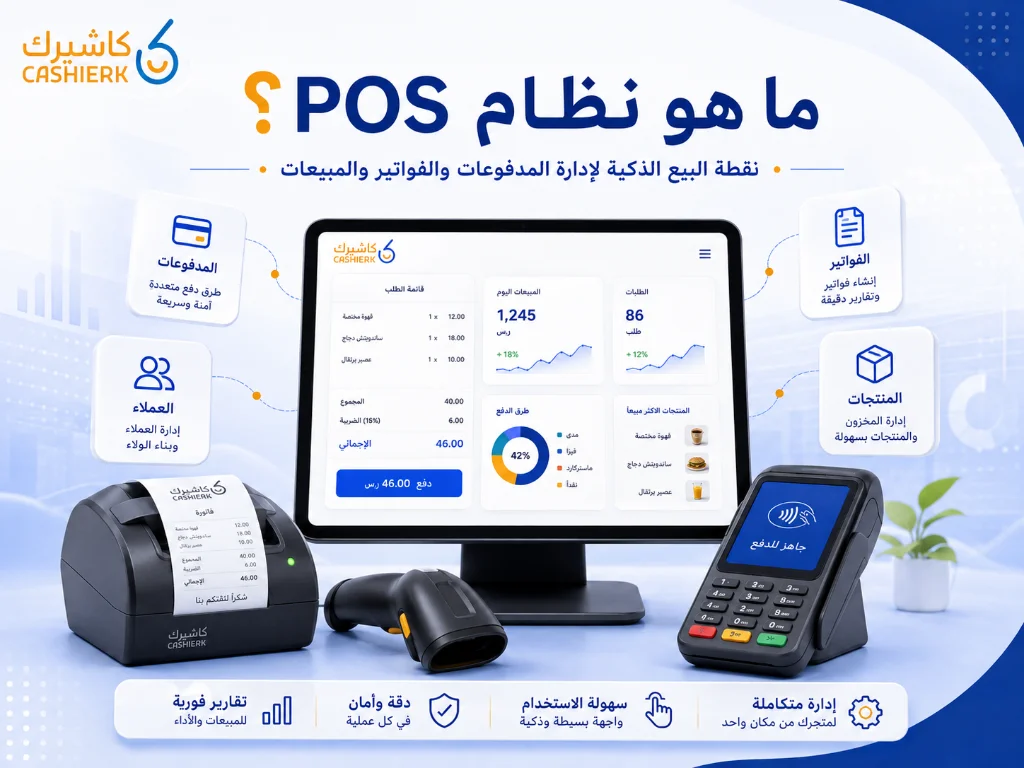
What Is Kashierapp? A Guide to POS and Cloud Point of Sale
A cashier system is no longer just a device for taking payments or printing receipts in a shop. Today, the...
Read the article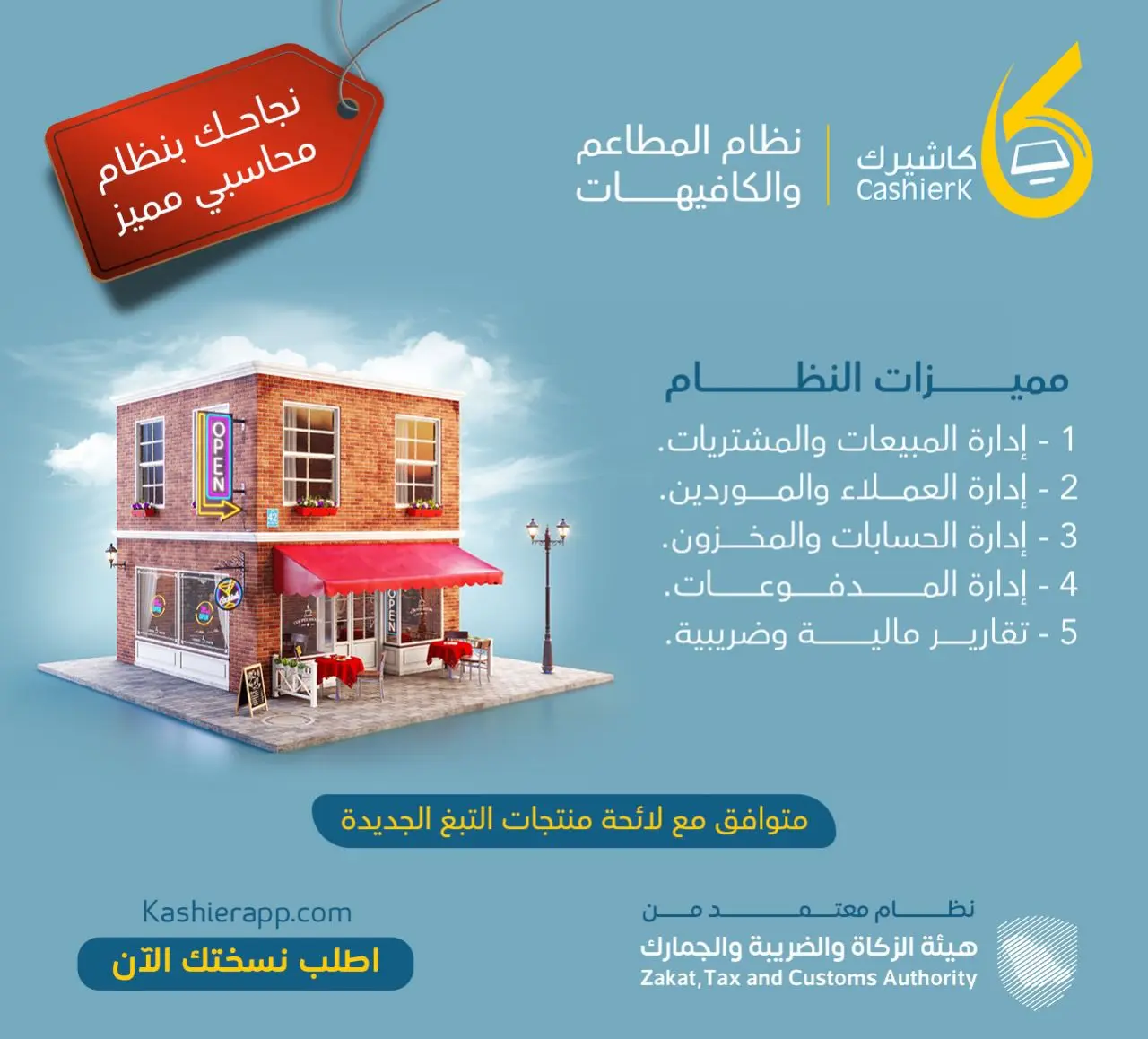
Restaurant Management Software in Saudi Arabia
There is no doubt that restaurant management software in Saudi Arabia is an important field with many aspects, as it...
Read the article
The Best Cloud Cashier Software in Saudi Arabia
With technology evolving so rapidly, traditional ways of running stores and businesses no longer work. Relying on technology has become...
Read the article
What Is a Cashier System? Types, Benefits and Kashierapp's Role
In modern commerce, a cashier system is no longer just a way to collect payments or print receipts; it has...
Read the article Riyadh - King Fahd Road - Al Yamamah Tower, 1st Floor - Office 102

